Managed IT Support Services
Your workforce deserves fast and reliable IT support, whether in the office or working remotely. As your managed IT support partner, we ensure 24/7 helpdesk coverage, tiered SLA response, and end-user assistance for uninterrupted business operations. From technical issues to proactive support, your team gets the help it needs without delays or unnecessary downtime.



Managed IT Support Focused On Solutions, Not Ticket Volumes
Rather than simply closing tickets, our resolution-first approach to managed IT support helps your team reach effective resolutions sooner and more consistently.
01
Tiered Support Structure & Escalation Plans
Our tiered-based system guides user IT requests through clear escalation paths. This directly cuts wait times and stops users from repeating their issues.
02
AI-Assisted Ticket Routing & Intelligent Triage
Support tickets are assessed and routed intelligently using AI, matching issues to engineers that possess the expertise needed to resolve them without delays.
03
ITIL-Aligned Incident & Problem Management
We follow ITIL frameworks for incident and problem management. This separates one-time fixes from root-cause solutions, preventing repeated issues over time.
04
Real-Time Ticket Visibility For Users & Managers
No more chasing updates repeatedly. Users can see their support request’s ticket status, ownership, timelines, and progress through a self-service portal.
05
Documented Runbooks For Your Environment
Environment-specific runbooks provide engineers immediate context on your environment, which reduces investigation time and improves resolution accuracy.
06
Monthly IT Support Performance Reporting
You get access to monthly performance reports highlighting ticket trends, response metrics, SLA adherence, and recurring issues to support better IT decisions.
First Call Resolution
Most support requests are resolved on first contact without callbacks, re-opens, or users having to explain the same incident to a different engineer.
P1 Response Time
Critical incidents receive a response within fifteen minutes, twenty-four hours a day, seven days a week without any exceptions for weekends or holidays.
Helpdesk Coverage
Support doesn’t stop even when your business hours end. Your team can access expert IT assistance around the clock to resolve issues and stay productive.
What’s Covered Under Our Managed IT Support Services
Our managed IT support services are defined around six delivery capabilities to cover the full scope of user-facing IT support needs under one engagement.
24/7 IT Helpdesk Support
Our 24/7 IT helpdesk provides multi-channel assistance, ensuring quick resolutions and constant productivity for users regardless of location, time zone, or business hours.
Remote IT Troubleshooting
Most technical issues can be diagnosed and cleared up by our engineers using secure remote access tools. The user gets immediate support and productivity is restored faster.
On-Site Technician Support
When remote resolution isn’t the ideal solution, we dispatch a certified field technician for on-site support pertaining to support issues that demand hands-on access.
User Access & Identity
We undertake admin support responsibilities, including user provisioning, account creation, and MFA setup for new hires as well as access revocation for departed members.
New Employee IT Onboarding
From account setup to device provisioning, our IT support team coordinates the full onboarding process for new employees, relieving HR and managers from the process.
Proactive Issue Prevention
We identify recurring issues by analyzing support patterns and proactively address conditions that generate high ticket volumes to keep the overall support load in check.
Award-Winning Excellence In Managed IT Support Services
Mid-market and enterprise businesses rely on us to manage complex IT environments with the level of expertise and accountability that stimulates business growth.
Clutch Global Ranking — IT Services
Business Environments Managed
Countries With Active IT Deployments
Years in Enterprise IT Management
Top IT Managed Service Provider
Top Software Developers USA 2026

Top Google Cloud Company USA
Top Cloud Consulting Company
Top AI Deployment Company
Top Cybersecurity Company Clutch
Support Features For End Users, IT Managers, And Leadership
We offer capabilities catering to each user role for a complete and connected experience because we understand that managed IT support cannot function in silos.
Multi-Channel Support
Users get the option to choose the access mode for ticket submission (phone, email, web portal, or chat) that fits their urgency and preference.
Ticket Status Visibility
With our self-service portal, users can check the status of their open tickets in real-time. They can also review details regarding current activity and ETA.
Rapid Remote Resolution
IT support is available on call 24/7, with most standard issues getting resolved within the same session. No multi-day resolution windows.
Knowledge Base Access
We offer a curated self-service knowledge base for common issues and requests. Users can find help with software setup and frequently asked IT questions.
24/7 After-Hours Coverage
To support users working outside the 9-to-5 window, our support channels are even accessible during non-working hours, weekends, and holidays.
On-Site Technician Dispatch
On-site technicians are dispatched for issues where remote resolutions are not feasible, such as hardware problems and replacement tasks.
Ticket Monitoring Dashboard
IT managers can use the dashboard to review all open tickets across the organization, categorized by user, priority, status, and SLA compliance.
SLA Breach Alerts
An automated notification system is set up to flag tickets nearing or breaching SLA timelines so managers can intervene before user escalation.
User Provisioning Controls
IT managers can oversee user provisioning, access changes, and offboarding requests while maintaining a complete audit trail for every action.
Recurring Issue Reports
High-frequency tickets are analyzed monthly to help managers reach data-validated infrastructure decisions for efficient support management.
Escalation Path Control
Authority for IT managers in defining escalation parameters regarding priority levels, managerial involvement, and support team autonomy.
Runbook Review Access
IT managers are privy to all environment runbooks we maintain for reviewing documented processes, confirming accuracy, and requesting updates.
Monthly Review Reports
We issue a structured monthly report to the leadership that reflects ticket volumes, SLA adherence percentage, and recurring issue trends.
IT Support Cost Visibility
All of the engagement data is accessible for you to assess what’s being consumed and its per-user cost, making IT budgeting a simple exercise.
SLA Accountability Metrics
Review reports compare SLA targets against actual response and resolution times, giving you a factual basis for determining compliance status.
Quarterly Business Review
Each quarter, the account team and the leadership convene to review performance, upcoming changes, and verify the validity of the support scope.
Incident Impact Reporting
Following a business-critical IT incident, you get a post-incident report detailing the cause, resolution, and recurrence prevention plans.
Compliance Audit Support
We help leadership with audit preparation by providing access logs, SLA metrics, and evidence packages for the required compliance frameworks.
Excellent Webworld As Your Managed IT Services Provider
While most MSPs run 24/7 helpdesk support, it only scratches the surface of our capabilities. We use software and AI expertise to deliver faster, better support.
Engineering Expertise Behind Support
Backed by software and AI engineering expertise, our support team resolves complex issues properly, not through temporary fixes.
AI-Augmented Triage From Day One
We set up automated filtering systems for support tickets to match the right issue to the right engineer and reduce wait times.
ITIL-Aligned Root Cause Resolution
For us, incident and problem management are not the same. Closing the ticket is just step one. Eliminating causes is the standard.
Dedicated Engineers For Your Team
Our managed IT support gives you access to a dedicated resource who is already familiar with your systems and configurations.
Monthly SLA Performance Reporting
When every monthly report we submit outlines your actual SLA data, the numbers are in your hands and not just in our dashboards.
Support That Scales With Growth
Whether it’s a new user, location, or even a new system added to your environment, our coverage scales and adjusts with you.
Your Team Shouldn’t Wait Hours for IT Support
Without quick support, an IT issue costs you an average of 22 minutes of productivity. We help minimize that impact via responsive support and faster resolutions.

- 87%+ first call resolution with minimal follow-ups.
- P1 incident responses within 15 minutes, 24/7.
- Recurring issues resolved through root-cause fixes.
- Monthly SLA reports provide written accountability.
Our Recent Projects
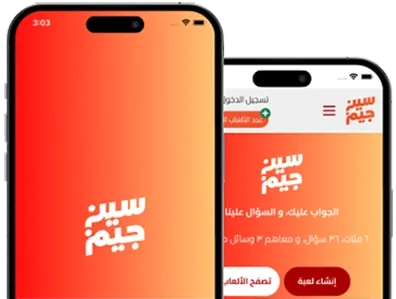
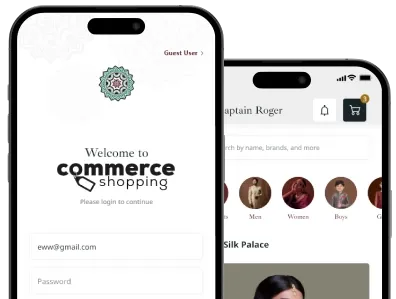
We always believe in serving our clients with best and effective solutions that enables them to get over the startup challenges. Here we’ve showcased a few applications built by our experts based on client requirements.

IT Support Operations Aligned to Audit Frameworks
Major compliance frameworks scrutinize remote sessions on regulated systems and ticket data handling. Our IT support workflows ensure all support processes meet your auditors’ standards.
Clients need support operations that log and audit every remote session & ticket interaction. We understand your requirement. So before an audit starts, we satisfy examiner expectations without emergency evidence collection.
- HIPAA
- SOC 2 Type II
- SOC 1 Type II
- HITECH
- PCI DSS
- NIST
- FedRAMP
- NIST SP 800-53
- CCPA / CPRA
- FERPA
- NIST AI RMF
- GLBA
- ISO/IEC 42001 (AI)
- ISO/IEC 27001
- FISMA
- WCAG 2.2
- ITAR / EAR
- ADA / Section 508
Remote access to EU personal data systems needs consent. It also requires session logging and data minimization at the support level. We organize our workflows to meet these obligations in every interaction.
- GDPR
- UK GDPR
- EU AI Act
- UK AI Regulation Framework
- NIS2 Directive
- DORA (Digital Operational Resilience Act)
- PSD2 / PSD3
- ePrivacy Directive
- MiCA
- ISO/IEC 42001 (AI)
- ISO/IEC 27001
- PCI DSS
- SOC 2 Type II
- EN 301 549 (Accessibility)
- WCAG 2.2
Support engineers accessing health or financial data must follow access control & session logging. These rules meet federal and provincial regulations in all client environments.
- PIPEDA
- Quebec Law 25
- Bill C-27 / AIDA (AI & Data Act)
- PHIPA (Ontario)
- PHIA (Manitoba / Nova Scotia)
- HIA (Alberta)
- FINTRAC / PCMLTFA
- SOC 2 Type II
- OSFI B-10 (Third-Party Risk)
- ISO/IEC 27001
- PCI DSS
- ISO/IEC 42001 (AI)
- WCAG 2.2
Support for data operations in APAC needs clear engineer accountability. It also requires access logging and incident notification for every regulated system interaction. No matter where the client is based, they need to do it.
- Australia AI Ethics Framework
- Australia Privacy Act 1988
- Singapore MAS TRM Guidelines
- Singapore PDPA
- Japan APPI
- India DPDP Act 2023
- South Korea PIPA
- China AI Regulation (CAC)
- China PIPL
- New Zealand Privacy Act 2020
- Hong Kong PDPO
- ISO/IEC 27001
- SOC 2 Type II
- ISO/IEC 42001 (AI)
- PCI DSS
Gulf companies require third-party support providers to show access controls and incident response steps for system interaction. Our support workflows ensure those standards are operational in all MENA client environments.
- UAE AI Strategy 2031
- UAE PDPL (Federal Decree-Law No. 45)
- ADGM Data Protection Regulations
- Saudi Arabia PDPL
- SAMA Cybersecurity Framework
- Saudi Arabia National AI Strategy
- DIFC Data Protection Law
- Qatar Financial Centre (QFC) Regulations
- Qatar PDPL
- Bahrain PDPL
- ISO/IEC 42001 (AI)
- ISO/IEC 27001
- PCI DSS
- SOC 2 Type II
Benefits Of Managed IT Support Across Your Organization
From faster issue resolution for employees to greater oversight for leadership, managed IT support creates measurable value across every stakeholder group.
|
For Employees & End Users
|
|---|
|
|

|
For Business Leaders & Operations
|
|---|
|
|

Reduce IT Costs While Improving Support Performance
Managed IT support services lower operating costs per-issue through proactive issue prevention, faster resolutions, and predictable monthly pricing structures.

- Eliminate unexpected break-fix support costs
- Reduce productivity loss from IT issues fast
- Lower support costs as team size increases
Common IT Support Challenges and How We Solve Them
Managed IT support surfaces a common set of recurring problems that prevent you from getting real value. These are the four that we come across most often.
| Challenge Area | Challenge | How Do We Solve It? | ||
|---|---|---|---|---|
|
Slow Response Times
|
Challenge | Users wait hours for acknowledgement on issues, especially outside business hours when no support staff are available and tickets sit in the queue. | How Do We Solve It? | Contractual P1 response within 15 minutes, 24/7/365, with AI-assisted triage routing tickets instantly rather than waiting for manual review by a human. |
|
Recurring Issues Never Get Fixed
|
Challenge | The same problems appear monthly: tickets get closed but the cause is never addressed, creating an endless loop of interactions with the same users. | How Do We Solve It? | Monthly analysis identifies high-frequency ticket patterns and triggers root cause fixes, reducing repeat issues over time with measurable data. |
|
No Visibility Into Performance
|
Challenge | Business leaders have no way to measure the support performance (SLA data, resolution metrics, trend analysis), making accountability non-existent. | How Do We Solve It? | Monthly performance reports provide SLA compliance data, including response times, resolution rates, ticket volumes, and performance trends by default. |
|
Support Breaks Down During Growth
|
Challenge | As businesses grow, existing IT support models struggle to keep up. Internal teams become overloaded, while providers require contract renegotiation. | How Do We Solve It? | Per-user engagement model scales with users, sites, and scope under the existing contract framework, with pricing reviewed quarterly as needs evolve. |
How Does Managed IT Support Pricing Typically Work
Managed IT support is typically priced per user, providing a predictable monthly investment that scales with growth while reducing unexpected IT costs.
Overflow Helpdesk Coverage
For Teams Requiring IT Overflow Coverage
- Business-Hours Helpdesk Coverage Only
- Remote Troubleshooting and Resolution
- Tier 1 and Tier 2 Support Coverage
- Monthly Support Performance Reports
Extended Support
For Growing Teams Needing Broader Support
- 24/7 Helpdesk Including All Holidays
- On-Site Technician Dispatch Included
- Tier 1–3 Support With Defined SLAs
- User Provisioning and Access Changes
Fully Co-Managed IT Support
For Organizations Sharing IT Operations
- Named Dedicated Account Engineer
- Compliance-Aligned Support Workflows
- Multi-Site and Multi-Timezone Coverage
- Custom SLAs and Escalation Paths
| Pricing Factor | What Drives The Number |
|---|---|
| Coverage Hours | Business hours only or full 24/7 support |
| Support Tier Scope | Tier 1 only or complete Tier 1–3 coverage |
| On-Site Dispatch | Included visits or dispatches as required |
| User & Device Count | Higher user counts improve pricing efficiency |
| SLA Response Targets | Faster SLA targets require dedicated staffing |
| Compliance Requirements | Compliance needs increase support oversight |
| Dedicated vs Shared Engineers | Dedicated engineers cost more than shared pods |
| Contract Term | Annual commitments reduce overall pricing |
Enterprise Technology Stack Behind Our IT Support Operations
Our support technology stack combines ITSM, automation, monitoring, and reporting platforms to improve response speed, visibility, consistency, and accountability.
Artificial Intelligence (AI)
- OpenAI
- Google Vertex AI
- Mistral AI
- LangChain
- LlamaIndex
ITSM & Ticketing
- ServiceNow
- Jira Service Management
- ConnectWise Manage
- Freshservice
- Zendesk
RMM Platforms
- NinjaRMM
- ConnectWise Automate
- Datto RMM
- Atera
- Kaseya VSA
Remote Access
- TeamViewer
- BeyondTrust
- Splashtop
- ConnectWise Control
- Microsoft Remote Desktop
Identity & Access
- Okta
- Azure Active Directory
- Google Workspace IAM
- CyberArk
- JumpCloud
Collaboration Tools
- Microsoft Teams
- Slack
- Microsoft 365
- Google Workspace
- Zoom
Automation & Scripting
- PowerShell DSC
- Ansible
- Microsoft Power Automate
- Zapier
- GitHub Actions
Knowledge Management
- Confluence
- IT Glue
- Hudu
- Notion
- SharePoint
Reporting & Analytics
- Power BI
- Datadog
- Grafana
- BrightGauge
- Tableau
How Managed IT Support Becomes Part of Your Business
Managed IT support works best when it feels like an extension of your business. Here’s how we build coverage and facilitate long-term support success.
Environment Discovery
Inventory users, devices, systems, and configurations before support launch.
SLA & Scope Definition
Define SLAs, escalation paths, coverage hours, and compliance requirements.
Tooling & RMM Setup
Deploy RMM, ticketing, portals, and integrations before go-live readiness.
Helpdesk Introduction
Introduce support channels, portal access, and expected response timelines.
Support Go-Live
Launch live support with SLA monitoring, staffed coverage, and AI triage now.
30-Day Review
Review early ticket trends, refine workflows, and optimize support delivery.
Root Cause Analysis
Identify recurring issues, investigate causes, and implement lasting fixes.
Monthly Reporting
Receive monthly SLA metrics, ticket trends, support performance, and insights.
Quarterly Alignment
Review support outcomes, adjust scope, and align with business changes ahead.
Expand Your IT Support Coverage With Business Growth
Once helpdesk operations stabilize, clients opting for managed IT support identify gaps. We extend coverage beyond end-user support. This coverage includes infrastructure, security, disaster recovery, and IT layers. These elements help keep technology running smoothly.
What Our Clients Are Saying
Every engagement is a reflection of how the right engineering partner creates measurable impact. Hear directly from our international clients who have experienced the difference Excellent Webworld’s services make across their business.

Abdulaziz Alotaibi

I chose Excellent Webworld for its quality, fair pricing, and collaboration. They treated my app ‘Move Coins’ like their own, ensuring success.

Thomas Devito

I’ve been working with Excellent Webworld for over 10 years and have received dozens of web productions for small businesses.

Nick Wright

The designers took the challenge to redesign my app and website from scratch and give my brand a newly updated identity.
Frequently Asked Questions
Break-fix IT support is reactive; you contact a provider only after something goes wrong, with services billed per incident or hour.
Managed IT support is a proactive, ongoing service that provides continuous helpdesk coverage, SLA response times, performance reporting, and issue prevention. Rather than simply resolving problems as they occur, the goal is to reduce recurring issues, improve response times, and provide predictable support for your users.
A Service Level Agreement (SLA) defines the response and resolution targets for various IT incidents. They establish clear expectations for both your organization and the support provider to ensure persistent accountability, service quality, and measurable performance.
Yes. Our managed IT support engagement supports distributed teams across multiple locations and time zones. With 24/7 helpdesk availability, remote troubleshooting, and standardized processes, employees can access assistance without being limited by your organization’s primary business hours and location.
Yes. We support organizations operating across cloud, on-premises, and hybrid IT environments. Whether your infrastructure includes public cloud platforms, on-premise servers, or a combination of technologies, our support team works to deliver consistent IT assistance across all supported systems.
Protecting your data starts with limiting unnecessary access. Our engineers only access the systems required to resolve the issue, and every action is governed by your organization’s security policies.
Support activities are documented, access remains accountable, and we work within your existing controls rather than creating exceptions that increase operational risks.
The most valuable preparation is having clarity. Before the engagement begins, we work with your team to understand how support is handled today, where the pain points exist, and what success should look like. That allows us to build a support model around your environment instead of forcing you to adapt to ours.
Yes. Every organization relies on applications that are unique to its business, and those systems shouldn’t become a blind spot for IT support.
During onboarding, we learn how your applications work, document the support process, and define clear escalation paths so users receive consistent assistance alongside support for your standard IT environment.