Not every process deserves automation, and in my experience, RPA works best when you are particularly selective about where you deploy it. A bot cannot fix a broken workflow; it simply makes the same inefficiency move faster. The businesses that get RPA use cases right treat automation as a decision about which processes deserve it first, not like a blanket rollout across every department with repetitive work.
That decision looks different depending on where you sit. Finance cares about payback & audit trails. Healthcare adds privacy & regulatory risks, while the government needs compliance & traceability. IT cares about whether the bot survives the next system upgrade or breaks when a vendor changes its portal. Grand View Research projects the RPA market to reach around $6.0 billion in 2026, while McKinsey reports that 62% of organizations are already experimenting with AI agents.
Below is a department-by-department breakdown of 25+ robotic process automation use cases, starting from invoice matching in finance to healthcare claims & government workflows, with practical use examples, expected business impact, and the failure points that you really need to consider prior to automating the process.
If you are weighing build vs buy, RPI ROI, or RPA vs Agentic AI, this is the same framework that I recommend before committing to a business process automation project.
RPA Use Cases by Department
RPA in Finance & Accounting
Finance is the one such department that I see as one of the clearest RPA use cases. RPA in Finance & Accounting includes invoice processes, reconciliations, reporting & standard compliance, which are the ones that have high transaction volumes & predictable rules. For creating opportunities, it is not simply to eliminate data entries, but to shorten the processing cycles that help in improving the controls & also free finance teams from the burden of repetitive work.
| Use Case | What It Replaces | Typical Payback |
|---|---|---|
| Invoice processing & 3-way matching | Manual PO, invoice, and receipt matching | 3–6 months |
| Accounts payable/receivable reconciliation | Manual ledger and transaction reconciliation | 4–8 months |
| Expense report auditing | Manual policy-compliance checks | 3–5 months |
| Financial close & reporting | Manual data pulls from multiple systems | 6–9 months |
| Tax compliance data preparation | Manual form population | 4–6 months |
Example: A mid-sized logistics organization automated a three-way invoice matching system across ERP instances. The time for processing reduced from 12 minutes to 90 seconds, thus allowing the two full-time finance roles to shift from data entry towards vendor management.
How our team helps: The bigger value of RPA in finance and accounting comes from connecting these automations to the systems that finance teams already use. I recommend integrating with ERP & accounting platforms such as NetSuite, SAP, Tally, and QuickBooks rather than relying on fragile scripts.
Where payment or card data is involved, security & compliance also need to be integrated into the automation from the very beginning. This is the same principle that we apply across our fintech development work, particularly where the financial workflows require stronger controls.
Best Fit: High-volume invoice processing, reconciliation, reporting, and other rules-driven finance workflows where the inputs & decision logic are relatively constant.
RPA in HR & Talent
HR & Talent is the strongest fit for robotic process automation in HR. RPA in HR & Talent involves moving the same employee data between HRIS, payroll system, identity management & other systems. I recommend starting with the administrative workflows rather than automating decisions that generally need human judgment.
| Use Case | What It Replaces | Typical Payback |
|---|---|---|
| Employee onboarding & offboarding | Manual re-keying across HRIS, payroll, and IT systems | 3–6 months |
| Candidate data extraction | Manual resume and application data entry | 4–6 months |
| Payroll processing & validation | Manual payroll checks | 5–8 months |
| Leave & attendance reconciliation | Manual timesheet cross-checking | 3–5 months |
| HR compliance document generation | Manual document drafting | 2–4 months |
Example: A 2000 employee BPO firm automated the handoff among its HRIS, Active Directory, & Payroll systems. The onboarding cycle sped up its pace from five days to less than one, as the administration system no longer had to enter the same employee information into 3 separate systems.
How our team helps: We treat HR automation as a systems-integration issue, not a bot-scripting problem. Our engineering team connects HRIS, Active Directory, and Payroll through APIs wherever vendors support them, so the workflow is less dependent on fragile screen-level automation and easier to maintain through platform changes.
We’ve applied the same principle to workforce platforms, including our staffing platform for FIFO operations, where we built automated worker screening, credential verification, compliance gating, and real-time workforce availability into a single platform.
Remote Personnel
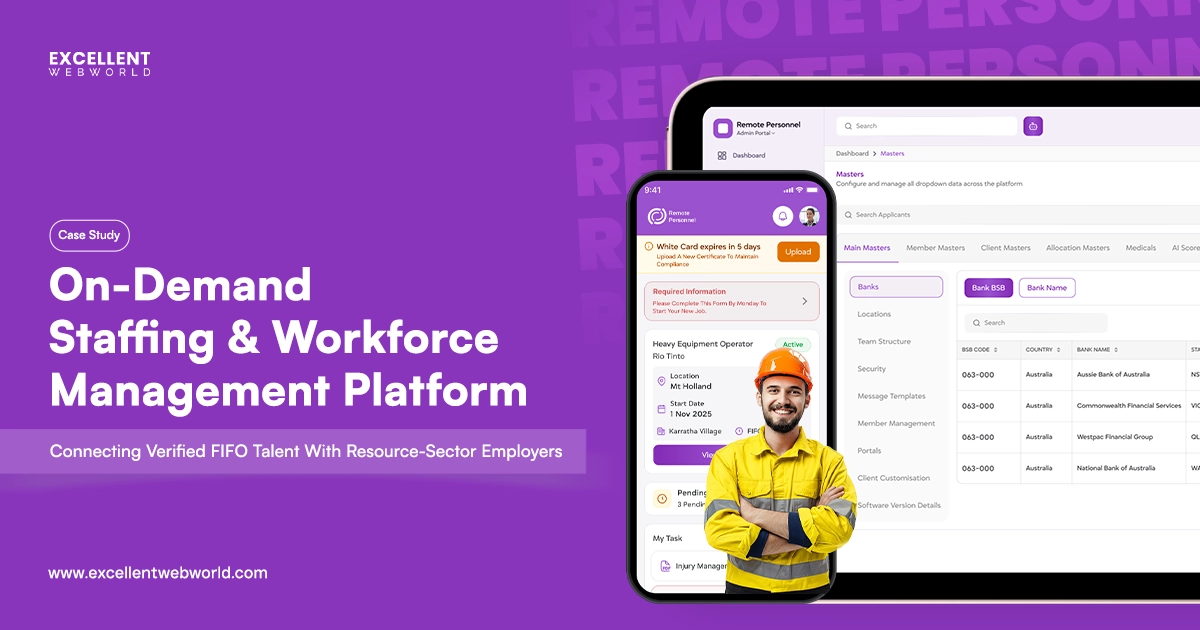
An end-to-end staffing platform for FIFO operations. Candidate pipelines, automated workflows, and compliance-ready records cut hiring admin and speed time-to-hire.
Best fit: High-volume employee onboarding process, offboarding, payroll validation, attendance reconciliation, and document workflows with predictable rules and structured data.
RPA in Customer Service & Support
Back office & customer service workflows can be strong RPA use cases & the highest ROI RPA deployments industry-wide, as ticket volumes are much higher and the cost of a bot error is quite low compared to finance or compliance work processes.
| Use Case | What It Replaces | Typical Payback |
|---|---|---|
| Ticket triage & routing | Manual queue sorting | 2–4 months |
| Order status updates to CRM | Manual status lookups and updates | 3–5 months |
| Refund/return processing (within policy) | Manual approval on routine cases | 3–6 months |
| Customer data updates across CRM/billing | Manual duplicate data entry | 3–5 months |
| SLA breach alerts & escalation routing | Manual SLA monitoring | 2–4 months |
Example: A growing e-commerce company automated ticket triage, order status updates, & routine refund processing across its CRM & order management systems. Due to this kind of RPA in Customer Service & Support, the workflow eliminated manual queue handling & helped the agents spend more time on complex customer issues and valued interactions.
How our team helps: We design RPA in customer service as a hybrid workflow from the start. RPA manages deterministic routing, CRM updates, & policy-based actions, while the agentic AI development can handle tickets that need context or reasoning prior to escalating them to humans.
Best fit: Ticket routing, CRM updates, order-status workflows, routine refunds, and SLA monitoring where the rules are quite transparent & exceptions can be escalated.
RPA in Supply Chain & Logistics
For robotic process automation in supply chain, the opportunity is rarely limited to repetitive tasks. The bigger advantage comes when the automation connects the fragmented steps all along across purchasing, inventory systems, suppliers, warehouses & carriers without any re-entries of similar information.
| Use Case | What It Replaces | Typical Payback |
|---|---|---|
| Purchase order generation & vendor confirmation | Manual PO drafting and follow-up | 3–5 months |
| Inventory level reconciliation | Manual stock cross-checks across warehouses | 4–7 months |
| Shipment tracking & exception alerts | Manual tracking-page monitoring | 3–5 months |
| Demand forecasting data prep | Manual data aggregation feeding ML models | 5–8 months |
| Customs/compliance document generation | Manual document assembly | 4–6 months |
Example: The best example of RPA in Supply Chain & Logistics is that our client, a regional freight operator, automated the PO generation process & vendor confirmation across more than 30 suppliers. This results in a drop of about 40% in order cycle time and creates fewer exceptions. The POs needing manual rework also fell as the bot enforced the same validation rule each time.
How our team helps: Supply chain systems are generally the most fragmented stack in any kind of business; that is said to be a combination of legacy warehouse software, freight carrier portals & spreadsheets that actually nobody wants to touch. The legacy API & Integrations are the core strengths for us, which is the area where most generalists RPA vendors quietly gives up & recommend a workaround instead.
A practical example is our AI freight forwarding platform for HJM Logistics, where freight quoting, document processing, shipment tracking, and predictive ETA were brought into a more connected operational workflow.
HJM
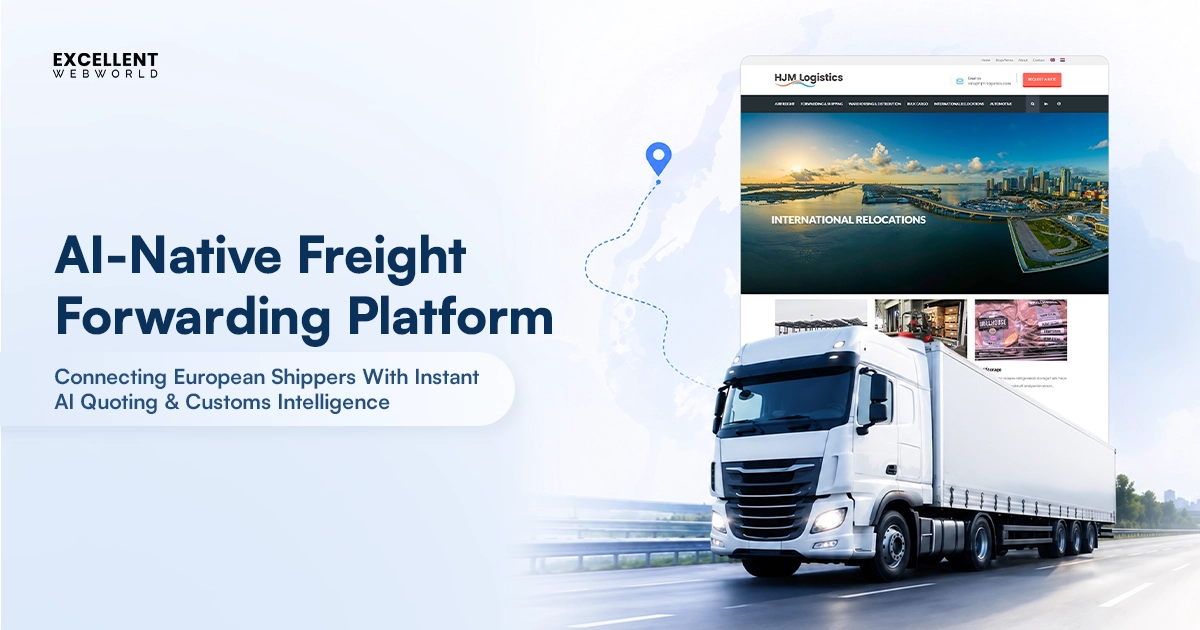
A freight forwarding platform connecting truckers and shippers. Load matching, documentation, and tracking automate operations and improve fulfillment.
We’ve taken the same approach in our fleet telematics platform, connecting vehicle data and tracking with operational workflows to give teams real-time visibility without adding another disconnected system.
Fleet Telematics Platform & Driver App
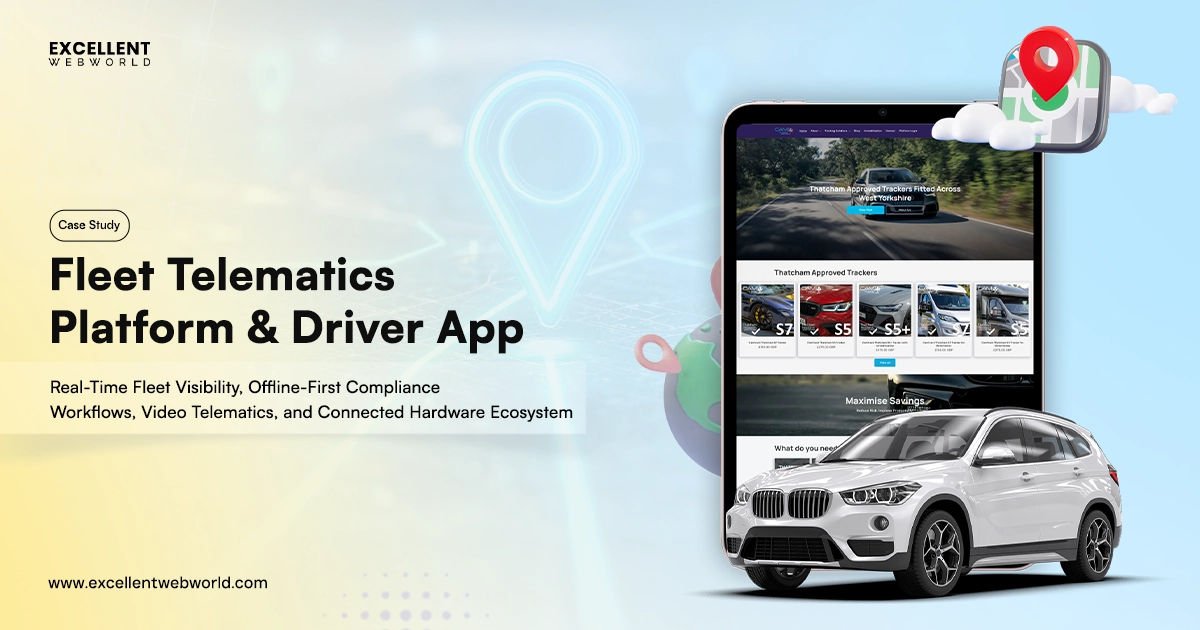
A GPS fleet management platform with real-time vehicle tracking, telematics, and driver insights. Cuts idle time and improves fleet efficiency.
Best fit: Purchase orders, vendor confirmations, inventory reconciliation, shipment tracking, and customs documentation where data moves between fragmented systems but the underlying rules remain predictable.
RPA in IT Operations
RPA in IT operations helps in removing a surprising amount of repetitive administrative work, but I would not automate an unstable process simply because it is repetitive. If the underlying application requires any kind of modernization, another bot can become a temporary patch rather than a real solution.
| Use Case | What It Replaces | Typical Payback |
|---|---|---|
| Purchase order generation & vendor confirmation | Manual access setup and revocation | 2–4 months |
| Inventory level reconciliation | Manual helpdesk tickets | 1–3 months |
| Shipment tracking & exception alerts | Manual log checks | 3–5 months |
| Demand forecasting data prep | Manual audit spreadsheets | 4–6 months |
| Customs/compliance document generation | Manual field-by-field migration | 5–9 months |
Example: A 1,500-employee organization automated employee account provisioning across its HRIS, Active Directory & core business applications. What previously required IT staff to create & revoke access manually is now reduced to rule-based workflows that are actually triggered by employee status changes.
How our team helps: Before we automate anything in IT operations, we first need to assess whether the RPA is actually an ideal fix or simply a temporary solution over a system that needs legacy modernization. Because we manage both, we can automate what makes sense today without making any system that you have to redevelop 18 months earlier.
When automation becomes part of day-to-day IT operations, the work doesn’t stop at deployment. Through our managed IT services, we can continue monitoring systems, managing infrastructure, resolving operational issues, and keeping automated workflows reliable as the underlying environment changes. The goal isn’t simply to automate a task; it’s to keep the systems behind that automation dependable long after the bot goes live.
Best fit: User provisioning, password resets, routine alert triage, license reconciliation, and stable legacy-system workflows where automation can help in operating within the defined accessibility & validation rules.
RPA in Healthcare & Insurance
The best RPA in healthcare & insurance opportunities are mainly administrative, with the other being clinical ones. The validation processes, eligibility checks, scheduling, and document preparation actually benefit the workflow when it is structured, repeatable & backed by proper standard compliance.
| Use Case | What It Replaces | Typical Payback |
|---|---|---|
| Claims processing & validation | Manual claims review | 5–8 months |
| Patient scheduling & appointment reminders | Manual call/email scheduling | 3–5 months |
| Insurance eligibility verification | Manual payer-portal lookups | 3–6 months |
| Medical billing & coding data entry | Manual coding data entry | 4–7 months |
| Prior authorization document assembly | Manual form compilation | 4–6 months |
Example: A healthcare network automated insurance eligibility verification process that was previously required staff to log into 6 different payer portal systems per patient; now the verification time dropped from almost 22 minutes to 3 minutes.
How our team helps: We build to standard HIPAA, HL7 FHIR, and FDA SaMD standards requirements from the first sprint, not as any compliance layer that is added later. That actually helps to prevent eligibility & claims workflows from incurring any kind of compliance debt that is visible during an audit. It is the same standard that we implement across our AI in healthcare app development work.
We’ve taken the same approach in Braive, where compliance and safety requirements were considered alongside the product architecture rather than added at the end.
Braive
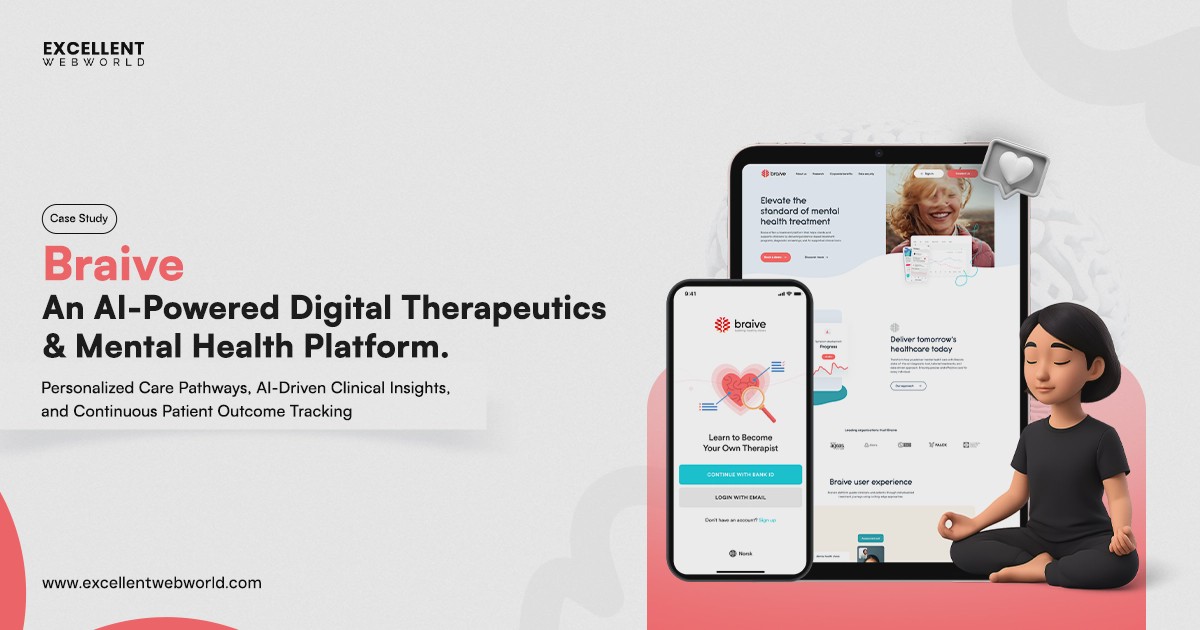
A digital mental health platform with guided programs, clinician tools, and progress tracking. Expands access to care and improves patient...
Best fit: Claims processing, insurance eligibility verification, patient scheduling, medical billing, and prior-authorization document workflows, where the structured datasets & defined compliance controls are already in the proper place.
RPA in Government & Public Sector
For RPA in government & public sector, speed is a significant part. Public sector automation also requires traceability, consistent execution, documented work processes & standard controls that help withstand scrutiny with transparency.
| Use Case | What It Replaces | Typical Payback |
|---|---|---|
| Benefits/pension claims processing | Manual claims clearing | 4–8 months |
| Procurement & RFP data compilation | Manual document compilation | 3–6 months |
| Citizen record reconciliation across departments | Manual cross-department data checks | 5–9 months |
| Compliance audit trail generation | Manual audit logging | 3–5 months |
| Permit & license issuance workflows | Manual issuance processing | 3–6 months |
Example: A public sector agency automated pension claim processing across its existing systems, thus allowing routine claims to shift through validation and processing without any kind of repetition in manual intervention. The result was much faster while keeping an auditable trail for every transaction.
How our team helps: We make our approach to government automation with strong auditability & standard compliance while developing from the ground up. Our experience with TORs, RFPs & procurement work processes helps us to develop RPA that fits those requirements from the outset, with AI in procurement as one example of where we apply this approach.
Best fit: For Claims, procurement, citizen records, compliance audits, and permit workflows where consistency and traceability matter.
RPA in Sales, Marketing & Legal/Compliance
These RPA use cases are the most valuable where sales, legal & compliance teams deal with some repetitive dataset management, documentation, and also reporting. I suggest automating the operational layer while keeping the commercial, legal & regulatory decisions with the accountable individuals.
| Use Case | What It Replaces | Typical Payback |
|---|---|---|
| Lead data entry & CRM enrichment | Manual lead logging | 2–4 months |
| Contract data extraction & clause flagging | Manual contract review | 4–6 months |
| Quote/proposal generation from templates | Manual proposal drafting | 2–4 months |
| Regulatory filing data compilation | Manual filing prep | 4–6 months |
| Audit trail & access-log generation | Manual log compilation | 3–5 months |
Example: A B2B company automated lead enrichment process & also CRM updates, thus lowering the manual effort in data entry while providing the sales team cleaner & more consistent customer records.
How our team helps: We connect CRM & contract management systems end-to-end so that automation becomes a significant part of existing workflow rather than becoming any kind of tool that teams actually need to manage. Where there is interpretation involvement, we assess whether AI or a hybrid RPA+AI approach is an ideal fit or not.
RPA ROI, By the Numbers
The business case for RPI ROI is the strongest one when automation is incorporated for higher volumes & rule-based processes. The realistic ranges given below are some insightful benchmarks, but the actual robotic process automation ROI varies with transaction volume, process complexity, integration efforts & exception rates.
| Metric | Realistic Range | Notes |
|---|---|---|
| Payback period | 3–12 months | High-volume, stable workflows generally recover faster |
| Error reduction | 30–90% | Strongest where rules and inputs are clearly defined |
| Processing time reduction | 40–80% | Automation removes repetitive wait and handling time |
| FTE reallocation per bot | 0.5–3 FTEs | Capacity is typically redirected, not eliminated |
KPMG’s automation research has cited that the robotic technologies offer 600- 800% ROI in some of their deployments. McKinsey’s 2025 research on AI & automation shows that the opportunity is moving much beyond any simple task automation towards workflows where AI agents & robots actually work together.
Where RPA Actually Fails
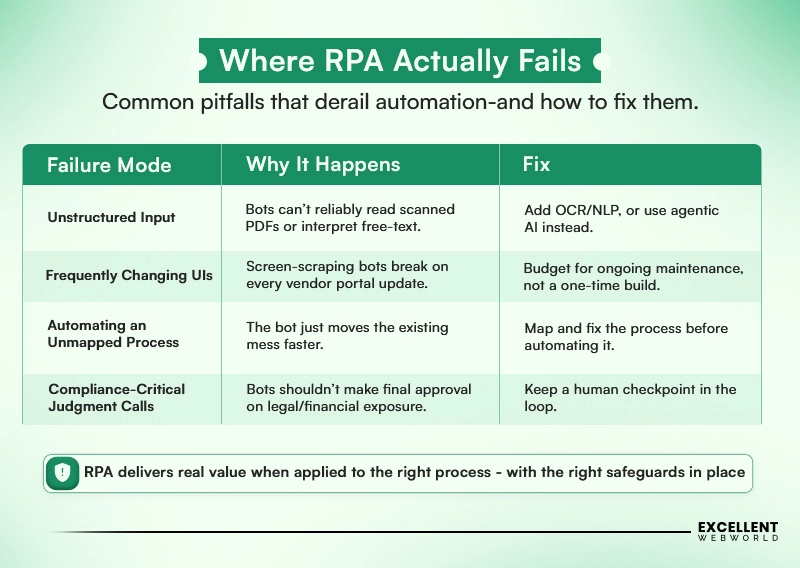
RPA actually works best when processes are structured, stable & rule-based, and it starts to break down the moment when the inputs are unstructured, with frequent system changes, and also without properly mapped workflows.
Here is the infographic below that highlights the 4 common RPA failure points, why they happen & the practical fix for each of them.
RPA vs. Agentic AI
In the case of solving automation problems, both RPA and Agentic AI are different. For solutions, I would not prefer one as a direct replacement; rather, I would utilize them for different purposes. RPA is the strongest when the work process is predictable & rule-based, while Agentic AI becomes more valuable when the process includes unstructured data, changing conditions, and even judgments, often through agentic RAG use cases that pull context from multiple internal sources before deciding an action.
| Capability | RPA | Agentic AI |
|---|---|---|
| Handles unstructured data | No | Yes |
| Adapts to new scenarios | No | Yes |
| Build cost | Lower | Higher |
| Maintenance overhead | Higher-Can break when interfaces or workflow changes | Lower-model driven & more adaptable |
| Best fit | High volume, rule-based & stable processes | Complex, judgment-based & variable processes |
In practice, I would recommend that the strongest architecture is often RPA+Agentic AI rather than selecting one exclusively. While RPA can coordinate deterministic tasks, Agentic AI is more towards managing interpretation, exceptions & decisions that need more flexibility.
The two can also work together in production, with RPA managing deterministic tasks & AI handling more dynamic workflows. See our guide on integrating AI into existing apps for a deeper look.
How to Calculate ROI Before You Commit
To calculate RPI ROI, we have to start with the actual cost of the process, not vendor estimates. You have to measure time, volume, labor costs, implementation, and ongoing maintenance.
| Step | What to Measure |
|---|---|
| Time the current process | This helps in measuring the actual minutes spent per transaction, rather than any outdated estimate. |
| Multiply by volume | Multiply monthly transaction volume by time per transaction, i.e., equal to total hours spent. |
| Price the hours | Helps in utilizing the fully loaded cost of the employees performing the work, not only base salary. |
| Account for bot costs | Involves licensing, implementation, & annual maintenance, which involves 15-20% of build cost per year. |
| Calculate the payback period | Helps in comparing the automation investment with annual savings, and if payback exceeds 18 months, RPA may not be the ideal fit. |
I also recommend accounting for exceptions & maintenance prior to committing. You can get some valuable insights on r/RPA practitioner discussions on these overlooked costs.
Why Choose Excellent Webworld for RPA Automation?
RPA is easy to demonstrate & quite hard to deploy reliably across real enterprise systems. The difference that comes down here is the process that should be automated, how it should be integrated & when RPA should pave the way for AI or modernization.
That’s the approach we actually bring to every automation engagement;
- 25+ RPA Use Cases managed across finance, healthcare, HR, IT, logistics & government.
- Integration-first automation developed around your existing ERP, CRM, HRIS & legacy systems.
- RPA + Agentic AI where the AI workflows need both deterministic execution & contextual decision-making.
- ROI-led implementation based upon actual process volume, labor cost, exceptions & maintenance.
The goal is not to automate everything, but to identify the processes where automation can actually create measurable output & value to the operations.
Ready to identify yours? Talk to our engineering team and let’s assess the right automation approach for your business.
- The best RPA use cases are high-volume, rules-based processes where the workflow is stable and measurable.
- RPA in finance, healthcare, HR, IT, and government can reduce repetitive work when automation is matched to the right process.
- RPA ROI depends on transaction volume, labor costs, exception rates, integration effort, and ongoing maintenance, not bot cost alone.
- RPA implementation should integrate with existing ERP, CRM, HRIS, and legacy systems rather than rely solely on fragile screen-level automation.
- RPA vs. Agentic AI is not always an either-or decision; RPA handles predictable execution while AI can manage unstructured inputs and dynamic decisions.
- Compliance-critical workflows still need human oversight, particularly across finance, healthcare, legal, and government processes.
- The smartest automation strategy is to identify the few processes with the strongest business case before scaling across the enterprise.
Frequently Asked Questions
The most common RPA use cases are invoice processing, reconciliation, employee onboarding, customer service routing, shipment tracking, compliance reporting & data entry.
The ones with higher transaction volumes, structured datasets, stable workflows, explicit business rules & measurable manual effort are best suited.
Yes, as per industry reports, it has been estimated that the global RPA market is valued at around $6 billion, and it has also shown how RPA & BPA fit alongside AI agents.
Yes, RPA can interact with legacy systems through their user interfaces when APIs are not available.
This actually depends on the transaction volume, manual processing time, labor costs, implementation expenses, licensing, exception rates, and also on maintenance.

Article By


Mahil Jasani began his career as a developer and progressed to become the COO of Excellent Webworld. He uses his technical experience to tackle any challenge that arises in any department, be it development, management, operations, or finance.