A Brief Comparison for your Convenience in Choice of App Building
Global mobile app usage has never been as high as we’re experiencing right now. As of 2026, there are 7.58 billion smartphones and 5.65 billion smartphone users, and this count will reach 8.06 billion smartphones and 6.38 billion smartphone users by 2029. So, businesses that don’t have a strong presence on mobile devices will definitely miss out on growth opportunities and lose market share to competitors.
This is apparently the perfect time to launch a new business model which also has an independent digital presence.
Gaining a competitive edge over your business rivals requires a lot of effort. One of the most important aspects to expand your reach and revenue is launching a mobile app. Every business can have an app, be it e-commerce, lifestyle or gaming. The apps are majorly coded and executed in these frameworks of native or hybrid.
Ever since businesses have realized the scope of growth after launching an online application, there has been an increase in the market competition.
After the BlackBerry & Windows system downfall in the mobile phone sector, the only two operating systems to focus on are Android and iOS. There is a constant mental turmoil as to which platforms have to be considered for creating the app. Let’s dive deeper into both the fronts and then compare those on different bases.
Apps have outspaced websites today. The reasons behind the same are notifications, speedy access on the phone, more features and personalization options.
Major platforms for building apps are:
- Native Apps
- Hybrid Apps
- Cross-Platform Apps (Flutter, React Native)
- Progressive Web Apps (PWAs)
Let’s read about both Native and Hybrid apps in detail and compare them on different bases.
Meaning of Native Platform App
A native approach is used to create an application for mobile in native platform app. The coding languages and framework make the app compatible with only one type of platform, either iOS or Android. If the app has to be made available to the users of both operating systems, then two separate codes from scratch have to be developed.
If you’re creating an app for iOS using Swift or SwiftUI, you can’t launch it for Android users. On the other hand, if you’re building an Android app using Kotlin or Java with the help of Android Studio, it can’t work on iOS. So, the code for the native app is exclusively written for that particular platform. For example, an AI native app is exclusively built for artificial intelligence at the core.
Native app development has evolved with the addition of modern tooling. While Apple’s SwiftUI provides declarative UI development that speeds up iOS development, Google has also introduced Jetpack Compose, which also does the same thing for Android development.
Meaning of Hybrid App
An app that is compatible with various operating systems is a hybrid app. There is no need to develop different codes for each OS. The performance of these apps is exceptional. Another name for hybrid apps is cross-platform apps. With Hybrid app development services it is also quick to build and launch, hence comparatively it costs less. The code created for one platform can be reused and edited to make the other platform code.
In 2026, Flutter and React Native are the most popular cross-platform or hybrid frameworks. Flutter is developed by Google, uses Dart and its own rendering engine to provide near native performance on both iOS and Android. On the other hand, React Native, backed by Meta (formerly known as Facebook), uses JavaScript for building native-like components, thereby becoming popular among teams who have experience in the JavaScript/TypeScript ecosystems.
You should also keep in mind that traditional hybrid frameworks like Apache Cordova and Ionic are used to run inside a WebView, which is why the performance was that much different compared to Flutter and React Native.
Which Platform to Choose to Build your App? – Native app vs Hybrid App Development
There are some factors that affect the platform chosen to build hybrid apps and native apps.

Read more about these deciding factors below:
1. Experienced or New?
In any industry, a company can be in either of two scenarios:
- Business is old and its app is new.
- Business and its app, both are new in the market.
If you are relatively new in the market, you must go for a hybrid platform app and later switch to native platform.
2. Budget
With modernization have come the high expenses that we all have been paying. Every business has a budget that they create for themselves. It includes expenses on fixed and variable assets, capital, estimated revenue and profits, etc. They also need to set up the cost of developing a mobile app. With less budget for this task, one can go for hybrid platform apps. But, with more budget available for app development, one can go for native platform applications. Budget of an organization makes them choose one of native app vs hybrid app.
Also Read: How Much Does Android App Development Cost?
3. Complexity
The purpose of the app matters a lot. If it is to simply fetch and display the information on the screen, a hybrid platform app would be the way to go. But, if the app requires heavy processing, a native app supported by cloud-native app development is the way to go.
4. Future Plans of Expansion
In the beginning, a hybrid platform is a good idea as it is less time-consuming and low costs. If there are future plans of expansion, then it is always a good idea to switch to native app development as also the budget would have increased by then.
5. AI and Device Feature Requirements
If you want to integrate AI capabilities into your mobile application, like on-device machine learning models, AR overlays, and real-time image recognition, native is always the right choice.
You have frameworks like Apple’s Core ML and Google’s ML Kit, which are integrated with respective SDKs and provide performance that hybrid layers can’t match.
Also, for the applications that rely on camera depth sensors, health data, or biometric authentication, native app development provides full API access to the developers.
What is the Difference Between Hybrid and Native App – Points of Distinction
There are so many points that make the native and hybrid apps different from each other. Here is a simplified table for you to show how apps made in native stand separate from hybrid apps:
| BASIS OF DISTINCTION | NATIVE APP | HYBRID APP |
|---|---|---|
| Smoothness/Compatibility | More | Less |
| USP | Responsive | Less Turnover Time & Flexible |
| Tools | Xcode, Android Studio, SwiftUI, Jetpack Compose | React Native, Flutter, Ionic, Capacitor |
| Framework | Swift, Kotlin, Objective-C | React Native, Flutter, Ionic |
| Speed | High | Medium-High (Flutter) / Medium (WebView-based) |
| Cost | More | Less |
| Development Time | More | Less |
| Performance / UX | High | High (Flutter) / Medium (Ionic/Cordova) |
| Reliability | High | High |
| Upgrades / Migration | Difficult | Comparatively Easier |
| Examples | Pokémon GO, Spotify, Google Maps | Airbnb (React Native), Alibaba (Flutter), BMW App (Flutter) |
| AI/ML Integration | Core ML, ML Kit, ARKit, ARCore | Possible via plugins; limited for on-device AI |
Advantages & Disadvantages – Native app development & Hybrid
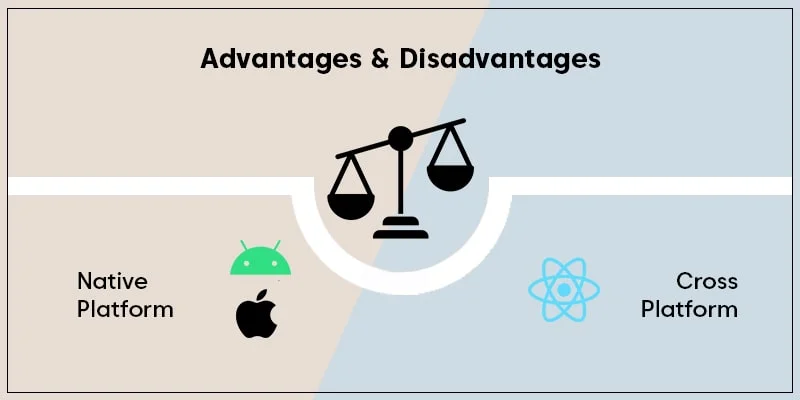
Pros of Native Platform App
- Broadly Functional: This platform provides complete control to the programmer to access the native platform app. All tools, Application Programming Interface (API), etc. can be used and changed by the coder.
- Increased Store Support: Since native app’s code is built separately for both the platforms, it is fast and performs better. Also, due to these reasons it ranks higher in the respective store.
- High Scalability: Apps built in the native platform are very flexible. The codes can be edited with an available array of tools and good resource management.
- Satisfying UX: Native apps provide a good and comforting user experience. The users of such an app will like using the app as it is highly functional.
- Superior AI & Hardware Integration: Native apps provide direct access to cutting-edge device APIs, which include on-device AI inference engines (Core ML, ML Kit), ARKit/ARCore for augmented reality, real-time sensor fusion, and Face ID/Touch ID. It’s a huge benefit for applications in industries such as fintech, healthcare or any other vertical that requires intense data processing at the device level.
Cons of Native Platform App
- High Costs: If the target audience is from both Android and iOS platforms, then two apps will have to be built separately. This requires double the energy, time, money, resources and two teams of experts in the respective operating systems.
- High Maintenance: It is difficult to keep upgrading the app’s code for both platforms from time to time. Searching for bugs, fixing them and maintaining the apps on both Android and iOS can be time consuming and involve a lot of effort.
Pros of Hybrid App
- Easy on Pocket: Single developer or developing team has to work on the app for both Android and iOS and that is compatible with all devices. Also, the app is light-weight and easy to understand for users.
- Simple UX for Lesser Price: A startup or a relatively new enterprise that cannot afford spending a lot already can benefit from choosing a hybrid app.
- Less Development Turnover: Since a single code script works for both operating systems, time taken in developing the code is less.
- One Primary Code Base: Only one code base is created for a hybrid app since it runs only on one code script.
- More Reach – More Scope of Growth: Since these apps are multi-platform, they have a wider audience to cater to. They reach more users and naturally get more downloads.
- Near-Native Performance: With the introduction of Skia/Impeller by Flutter, the rendering engine now bypasses the native UI layer, thereby allowing you to create pixel-perfect 60–120 fps animations on both platforms. Due to this kind of functionality, the performance gap between hybrid and native has become narrow for non-hardware-intensive applications.
Cons of Hybrid Mobile Apps
- Needs Native Development Skills: Certain native development skills are required to add advanced functionality to the app.
- Less Engaging UX: This platform’s user interface and user experience are way too simple and less attractive. At times, a less attractive UI can drive the user away to another competitor app.
- Slow Speed: The additional abstraction layer and rendering makes the app slower in performance — particularly relevant for WebView-based frameworks.
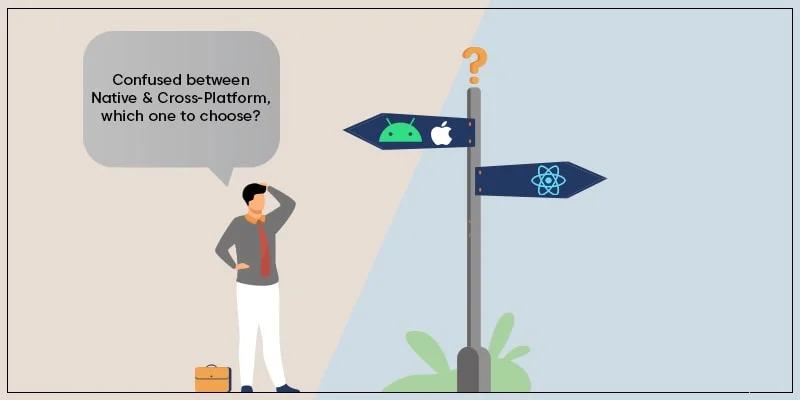
Still Confused Which Platform To Choose? Hybrid app vs Native app
Somebody who is a fresher in this field or belongs to a non-technical background, it definitely can be a confusing choice. In the absence of a CTO, use the following as a checklist and decide which platform would be the most suitable for your app.
Choose Native App if you:
- Need complete access to the user’s device resources.
- Wish to develop an interactive and engaging app.
- Want to utilize the device’s full hardware potential.
- Want to edit the code easily in the future.
- Need deep AI/ML integration (on-device inference, AR, biometrics).
- Are building for a regulated industry (healthcare, fintech)
Choose Hybrid App if you:
- Are ready to settle with a less interactive or engaging app.
- Have the app with lesser animation and less complexity.
- Have less time to launch the app in the market.
- Are building a content-driven, e-commerce, or informational app
- Have a small development team
AI’s Impact on App Development in 2026
AI has completely changed the way apps can be built and also the expectations of modern-day users. Here’s how this impacts the native vs hybrid decision-making:
- On-device AI: Applications that use real-time AI inference (recommendation engines, health monitoring, live translation, etc.) require native APIs such as Google’s ML Kit or Apple’s Core ML.
- AI-assisted development: You can use tools like Cursor, GitHub Copilot, and platform-native AI assistants (Xcode Intelligence, Android Studio Gemini) to reduce cost and speed of development for native app development.
- Generative AI features: Lastly, today’s users demand features like voice assistants, image generation, and LLM-powered functionalities. For that purpose, native apps are better positioned compared to hybrid apps.
Security Considerations: Native vs Hybrid
Security is one of the major aspects that you should always consider while making the choice between native and hybrid apps, especially when it comes to handling sensitive data.
Native App Security
Native apps have direct access to platform security APIs, thereby giving you complete control over authentication, transmission, and data storage:
- Biometric authentication through Touch ID, Face ID, and Android BiometricPrompt APIs
- Keystore (Android) and Keychain (iOS) for hardware-backed credential storage
- Native sandboxing and permission models required for the particular OS
- Complete integration with platform certificate planning and App Transport Security (ATS)
Hybrid App Security
If you’re using WebView-based hybrid apps like Ionic or Capacitor, there’s a chance of security risk through JavaScript bridge and unvetted plugins. New age frameworks like Flutter and React Native eliminate WebView, thereby reducing the attack surface, but their plugin ecosystem can still introduce security vulnerabilities, so you need detailed monitoring.
Testing Strategy: Hybrid vs Native Development
The two development paths require fundamentally different QA toolchains. Here’s how the toolkit for various types of testing that you can use for native and hybrid app development:
| TESTING ASPECT | NATIVE | HYBRID (FLUTTER / RN) | WEBVIEW-BASED (IONIC) |
|---|---|---|---|
| Unit Testing | XCTest/JUnit | Flutter Test/Jest | Jest/Jasmine |
| UI Automation | XCUITest/ Espresso | Detox/Appium | Appium/Selenium |
| CI/CD Integration | Xcode Cloud/ Firebase | Bitrise/GitHub Actions | Bitrise/CircleCI |
| Performance Testing | Native Instruments | Limited tools | Limited tools |
Team Structure & Organizational Impact
Whether you choose native app development or hybrid app development directly impacts your engineering team structure, hiring, and management strategy.
Native App Team Structure
Native requires two teams in parallel for iOS (Swift/SwiftUI) and Android (Kotlin/Jetpack Compose), each with separate sprints and release pipelines. You need to manage multiple teams, but you get the speed of development.
Hybrid App Team Structure
On the other hand, Hybrid development requires just one team, i.e., one PM, one designer, and shared QA. The downside is that if there are platform-specific bugs, you need a QA who has native debugging skills.
Total Cost of Ownership (TCO): Beyond Initial Development
Initial cost can sometimes be misleading when you try to compare native app development and hybrid app development. For an accurate comparison, you need to measure TCO over a 3-5 year lifecycle, covering aspects such as maintenance, updates, and team hiring.
| COST FACTOR | NATIVE (PER PLATFORM) | HYBRID (SINGLE CODEBASE) |
|---|---|---|
| Initial Development | Higher (two codebases) | Lower (one codebase) |
| OS Version Upgrades | Required per platform separately | Single update, mostly shared |
| Bug Fixes | Double effort (platform-specific) | Shared logic, platform tweaks |
| Team Size Required | 2 teams (iOS + Android) | 1 cross-platform team |
| Third-party Library Updates | Separate per platform | Centralized, plugin dependency risk |
| Long-term Scalability Cost | Lower (direct API access) | Can increase with feature complexity |
| App Store Compliance Updates | Immediate native support | May lag on new OS features |
Over the initial years, hybrid app development will surge ahead in TCO. But if you compare over 5 years, as the complexity grows and you require deep platform integration, native provides a good cost and quality balance.
App Store Optimization (ASO) & Discoverability
The platform you choose for app development directly affects how your app ranks and is discovered in the stores.
Native Apps and ASO
Both App Store and Google Play reward apps with lower crash rates, better performance scores [ANR (Application Not Responding) rates on Android and startup time on iOS], and faster adoption of new platform features. In all of these things, native apps stand out.
Hybrid Apps and ASO
On the other hand, Flutter and React Native applications can compete with native apps on ASO metrics. However, the major gap is in the features because when Apple or Google launches new features, native apps can introduce them straightaway, while hybrid frameworks take around 4-8 weeks to support them.
To Conclude
The native vs. the hybrid debate is more than a simple cost vs performance tradeoff. In 2026, Flutter and React Native are closing the performance gap, but native still remains the preferred choice for on-device AI, regulated industries (HIPAA, Fintech, etc), and deep hardware access.

There is no single winner — the right platform depends on your product, team, and goals. Professionals at Excellent Webworld offer a FREE consultation to help you decide. With 900+ clients across 40+ countries and 15+ years of experience in iOS, Android, Flutter, and React Native development, we’re ready to help.
FAQs About Hybrid and Native App Development
The best hybrid apps in today’s time run mostly on Flutter or React Native. For example, Alibaba and BMW run on Flutter, and Airbnb runs on React Native. These frameworks have now become the default for startups and mid-market businesses.
Dart for Flutter and JavaScript/TypeScript for React Native are the two preferred choices for 2026. While Flutter offers better performance, React Native’s massive ecosystem works well for teams already working in JavaScript.
Here’s the universal formula to calculate the final cost of app development: Total Development Time * Hourly Rate = Total Cost. We at Excellent Webworld charge $20 per hour for Android and $22 per hour for iOS developers. For hybrid developers, we charge about $25 per hour.
The key difference between React Native and other hybrid frameworks is that other WebView-based frameworks (Ionic, Cordova) render HTML and React Native renders native UI or uses their own engine. Due to this, there’s a difference in performance.
There can’t be one fixed answer to this question. Flutter wins on UI consistency and performance, while React Native wins ecosystem and ease of adoption. For newer projects, you should pick Flutter, while for teams with JavaScript familiarity, React Native is better.
While native applications provide direct access to platform security APIs (Keychain, Keystore, Secure Enclave). They’re also easier to audit. On the other hand, WebView-based hybrid apps have higher security vulnerabilities via the JavaScript bridge. Futter and React Native are safer, but their plugin ecosystems still require vetting.
Start with Flutter as it provides you with the best balance of speed, cost, and quality. You can ship your app to both platforms and use a hybrid-first, native-later strategy. It will allow you to add native modules as you scale

Article By


Mahil Jasani began his career as a developer and progressed to become the COO of Excellent Webworld. He uses his technical experience to tackle any challenge that arises in any department, be it development, management, operations, or finance.