Drupal Development Services
As a professional Drupal development services provider, we build powerful, secure, and high-performing digital experiences. Our expert Drupal website developers handle everything from custom website builds, migrations, and CMS enterprise solutions. We understand your business first to deliver futuristic Drupal solutions that drive results and scale on the go.
- Enterprise Ready Drupal Architectures
- Headless CMS & PWA Ready Solutions
- Secure Multi Site Content Platforms
- Robust API Integrations & Custom Workflows


"*" indicates required fields

Drupal Development Company Redefining What CMS Can Do
Digital platforms must handle scale, evolving integrations, and rising user expectations. Many businesses outgrow their CMS faster than expected. WordPress often slows down at scale, Joomla can limit usability, and Craft CMS may lack enterprise flexibility. Drupal, however, is built differently.
Drupal stands out for complex content structures, multi-site setups, and smooth third-party integrations. That is why over 1.1 million websites, from global enterprises to government institutions, run on Drupal.
Drupal also supports modern architectures such as headless and decoupled setups, which allow seamless integration with front-end frameworks like React and Next.js.
A key strength of Drupal is its modular system. Businesses choose the best Drupal development services because it allows them to extend functionality, automate workflows, and reduce operational overhead without rebuilding systems from scratch.
As a growing Drupal CMS development company, we use this flexibility to build tailored solutions across businesses and industries. Whether you want to build a website from scratch or modify an existing one, we focus on security, high-performance, and consistent user experience across devices.
Our Drupal website development cycle is fully structured and transparent to minimize risk and maximize project outcomes. From discovery and planning to design, development, and deployment, every stage is executed with precision and control to meet business goals and user expectations.
Our team of Drupal website developers and designers combines expertise with Drupal CMS to build websites, web apps, PWAs, eCommerce platforms, custom themes, and modules. We ensure our Drupal solutions improve engagement and drive business growth.
Years of Service
Talented Resources
Successful Projects
Happy Clients
Customer Retention

Hire Drupal developer
We have a team of experienced and certified drupal developers who are available for hire at a affordable price.
Our Full-Spectrum Drupal Development Services & Solutions
We provide end-to-end Drupal website development services designed to meet the needs of startups, enterprises, and growing businesses alike. As a Drupal web development company, we focus on reliability, scalability, and long-term value across custom builds, upgrades, integrations, and ongoing support.
01
Drupal Consulting
02
Drupal Website Design
03
Drupal Website Development
04
Drupal Application Development
05
Drupal Theme Development
06
Drupal CMS Customization
07
Drupal 10/11 Custom Development
08
Custom Module & Template Development
09
Drupal Enterprise Development
10
Drupal eCommerce Development
11
CMS Maintenance & Support
12
Legacy Drupal Migration
Why Drupal web development beneficial for news portal & government website?
Government, News Portal and startups (that aim to become big) need powerful websites to function well. One can achieve that only by choosing highly customizable, robust, and secure by Drupal web development services. Drupal is serving the biggest of enterprises without any hitch through high traffic and complex website integration. In short, Drupal development is well-suited to large and convoluted websites.
- Responsive design
- Highly scalable solutions
- Easy for custom development
- Multilingual support
- Content & user management
- High security
- SEO optimization
Why Choose Us as Your Drupal Development Company?
The difference between a good website and a great one is the team behind it. Many businesses want a partner that turns complex problems into digital solutions. Our Drupal development company delivers tailored solutions across healthcare, government, education, and retail to improve performance, scalability, and long-term value.
Choosing the best Drupal development company impacts how your platform performs, scales, and adapts to change. Many businesses face delays, poor code quality, and limited flexibility with the wrong partner.
As a professional Drupal web development agency, we provide reliable and futuristic Drupal development solutions to meet the needs of the business and target audience. Our Acquia-certified Drupal developers follow proven methodologies to ensure consistent quality, seamless communication, and regular updates. Our managed agile process keeps projects on track, on budget, and transparent.
Whether you need an enterprise CMS, a government platform, or a Drupal eCommerce store, we deliver solutions that enable complex integrations and handle high-user demand. Our streamlined development process reduces delivery risks and ensures clarity at every stage.
Every solution follows strict security practices, including protection against SQL injections, CSRF vulnerabilities, and XSS attacks. Our Drupal website developers deliver reliable, secure, and scalable solutions as business needs evolve.
- Multi Platform Experience
- Kick-Off Your Project In 24 Hours
- 40-Hours Paid Trial
- Cost-Effective Solutions
- 200+ Developers To Choose From
- Scalable team
- Managed Agile team
- End to End Services
- Managed Process
- Excellent infrastructure
- Reporting
Our Recent Projects
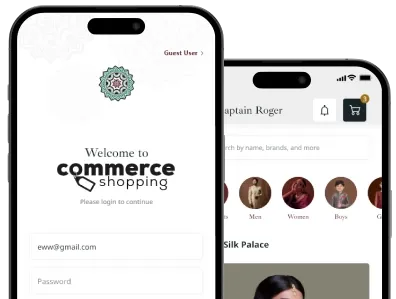
We always believe in serving our clients with best and effective solutions that enables them to get over the startup challenges. Here we’ve showcased a few applications built by our experts based on client requirements.


Related Services


FAQs: Drupal Development Services
Recently, Drupal 9 was launched with beneficiary features to bring continuous innovation in content management. Our Drupal experts have experience in working with the latest Drupal 9. Thus, you can easily upgrade your website according to Drupal 9.
All you need to do here is to share your website details, and our team will work on it accordingly. Not only for Drupal 9, but we are also even open to working with Drupal 8/7 development.
No, Drupal is not dying in any way. Just before some time Drupal 9 was launched which came with so many exciting features in it. To the fact, Drupal is still popular among the users for the following reasons.
- It is an ideal choice for SEO focused website
- Seamless integration with marketing tools
- Highly extensible via APIs
- Gives user-centric experience
- A complete web experience management system
Our offshore Drupal development has covered everything for you, right from proprietary CMS, migration from WordPress to Drupal or any other CMS, movable type of CMS, and much more.
The professional Drupal team can visualize the whole web data structure of your existing platform, and accordingly migrate it to Drupal 8/9 as per your needs. The central aspect of migration is to shift the website content and data; our Drupal experts have impeccable experience for such migrations.
In technical terms, Drupal, as well as WordPress both, are equally secure for the CMS solutions. However, which one is better for your platform will depend on requirements. Through the way a website is built, updated and maintained, some will say that Drupal is better while for others WordPress is a preferred choice.
To summarize, there cannot be a conclusion on which one is better as it differs with variant platforms. If you’re looking for a large and custom website development then Drupal is your choice wherein for a powerful blogging WordPress is the choice.
Drupal is an open-source and highly scalable content management system with numerous capabilities and functionalities. As Drupal is open source, there is no acquisition cost, the only price you have to pay is for Drupal web development to the company you hire.
The cost may be more or less based on the Drupal web design complexity. A standard Drupal project with minimal complexity will cost you around $7,000 to $30,000. Simultaneously, the cost may increase for an enterprise-level and a large amount of custom development.
Many business owners rack their head in search of this answer.
The right answer to this question; with constant updates, Drupal is capable of matching the needs of enterprise-level websites. A few reasons to choose Drupal for an enterprise-level website are as mentioned below.
- Drupal is known for its prime security. It protects the user data and avoids spam bots from performing any crawling of the website.
- Drupal web development is reliable and scalable; thus eliminates any risk for the website crash.
- The best of all, Drupal comes with unique multilingual features. For instance, it contains 94 languages and even has a translation core which can translate your content.
All the reasons mentioned above shows that Drupal is highly capable of handling organizational level websites.
Drupal is always the best choice for heavy content and high traffic websites. It means with Drupal experts you can seamlessly manage large source libraries and databases. Besides all, it is known for flexibility, scalability, and security. We would recommend you to go for the offshore Drupal development for larger and complex sites.
Being a top-rated Drupal web design company, we have a proven track record of generating fantastic user experience with intelligent and optimized custom web applications. We follow a complete process from analysis, wireframing, designing, development, launch and post-maintenance/support.
Stay assured by handing your Drupal development project to us.