Is your enterprise data really connected or trapped in silos?
For many enterprises, disconnected systems lead to duplicate efforts, misinformed decisions, and costly delays.
That’s where ERP software development comes in.
It’s the process of creating integrated systems that act as the nervous system of your enterprise – a single, intelligent network linking each branch, system, and decision factor. With AI-driven insights and a cloud-native architecture, ERP turns scattered data into a strategic power.
Unlike standalone applications, an Enterprise Resource Planning (ERP) system is the backbone of your entire digital ecosystem. Global leaders like SAP, Oracle, Microsoft, Odoo, Infor, and NetSuite prove one key component: when appropriately applied, ERP not only streamlines operations but also transforms businesses into marketplace leaders.
In this guide, we’ll break down what ERP development means, how it works, the associated costs, best practices for implementation, and how custom ERP software development services can accelerate your digital transformation journey.
What is ERP in Software Development?
In software development, ERP (Enterprise Resource Planning) refers to the complex process of creating or customizing software systems that integrate and automate core business processes across various departments like finance, HR, and supply chain.
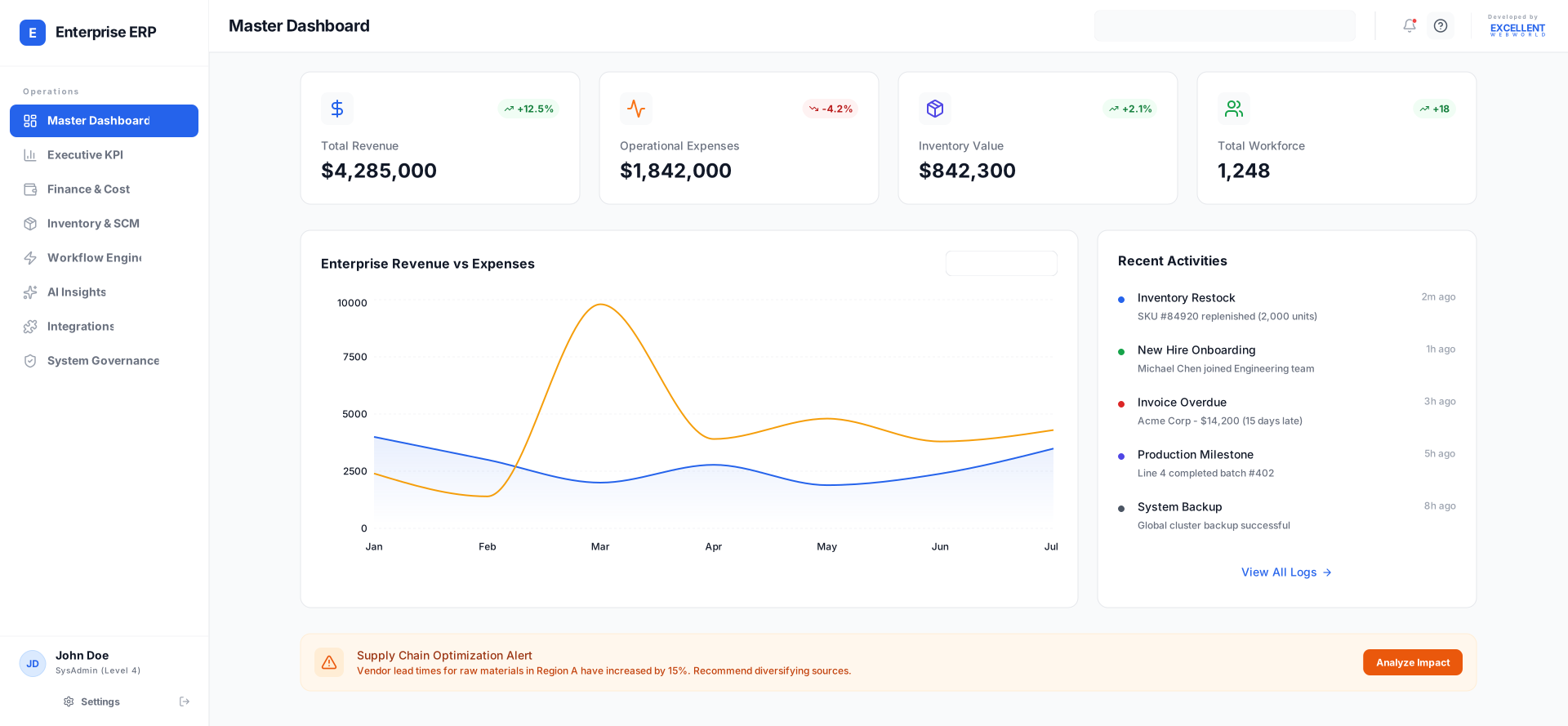
ERP system development involves creating unified platforms with shared databases. The software development process for those systems specializes in building seamless integrations that enhance performance, allow real-time insights, and aid data-driven decision-making, assisting enterprises in streamlining workflows and scaling operations.
Why Leading Enterprises Invest in Developing ERP Software
To avoid drowning in spreadsheets, chasing approvals, and missing compliance deadlines, enterprises invest in ERP software. It helps solve real business problems that hurt their bottom line.
This approach unlocks the key benefits of custom software development — efficiency, control, and measurable business impact.
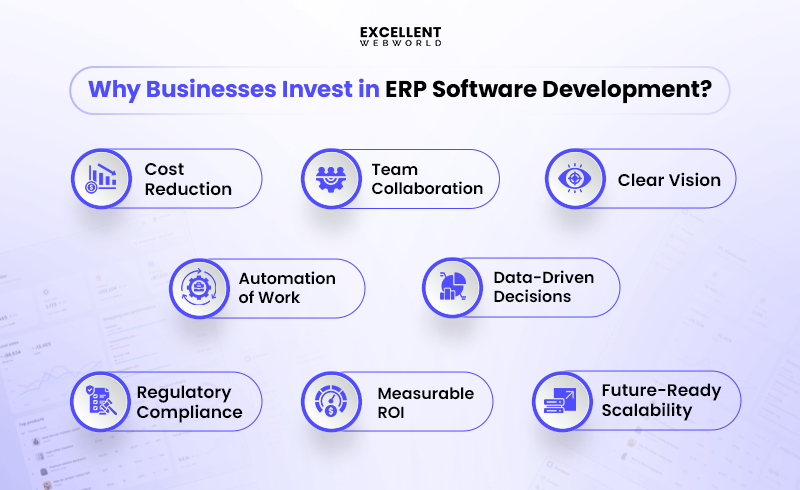
1. Immediate Cost Reduction
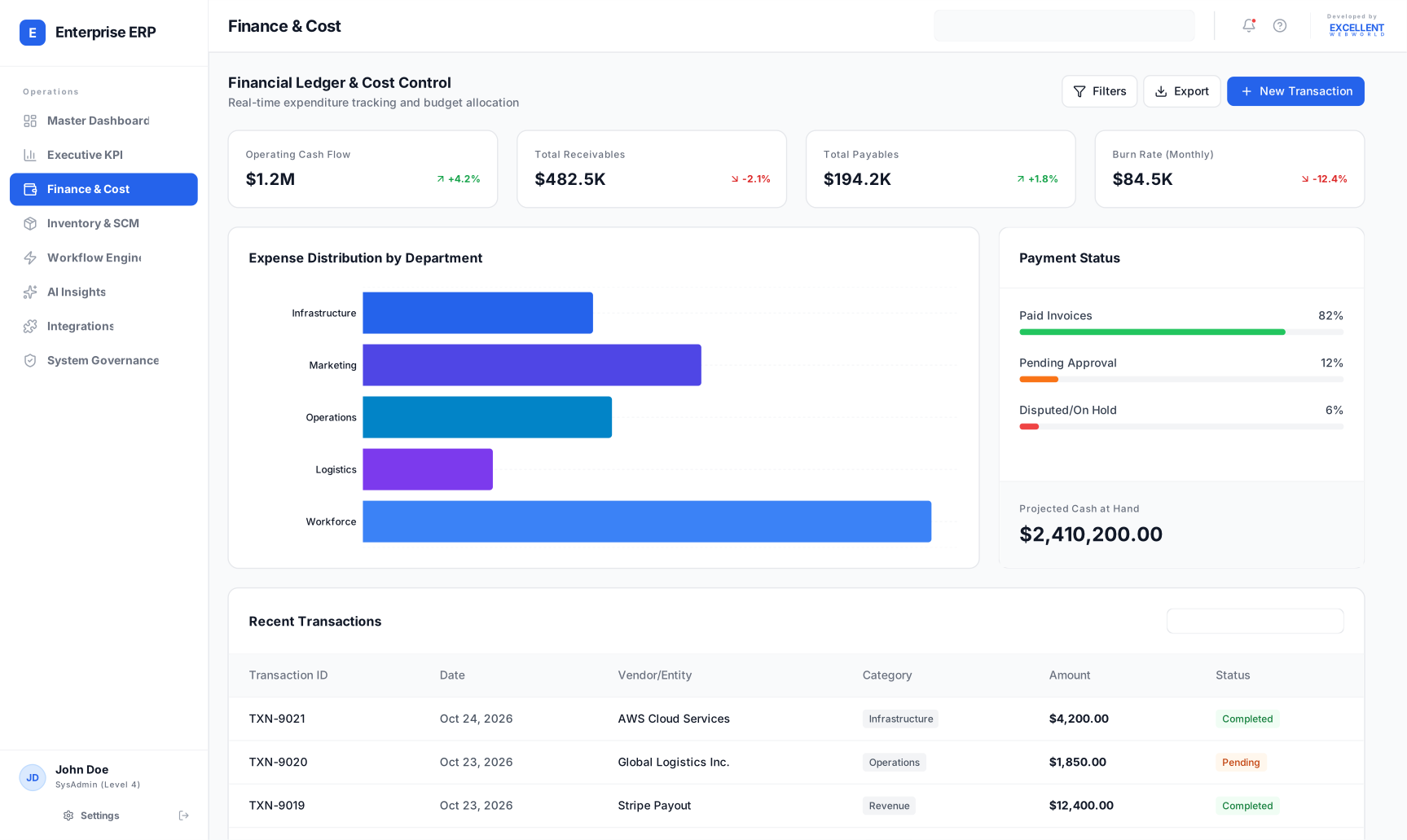
ERP systems slash operating costs of enterprises within the first year. You eliminate duplicate data entry, reduce paper waste, storage costs, and cut administrative labor costs almost instantly. Modern cloud-based ERP solutions help you pinpoint precisely where money leaks from your operations, which is why cloud ERP market is projected to reach $181.04 billion by 2032, according to a Fortune Business Insights.
2. Enhanced Team Collaboration
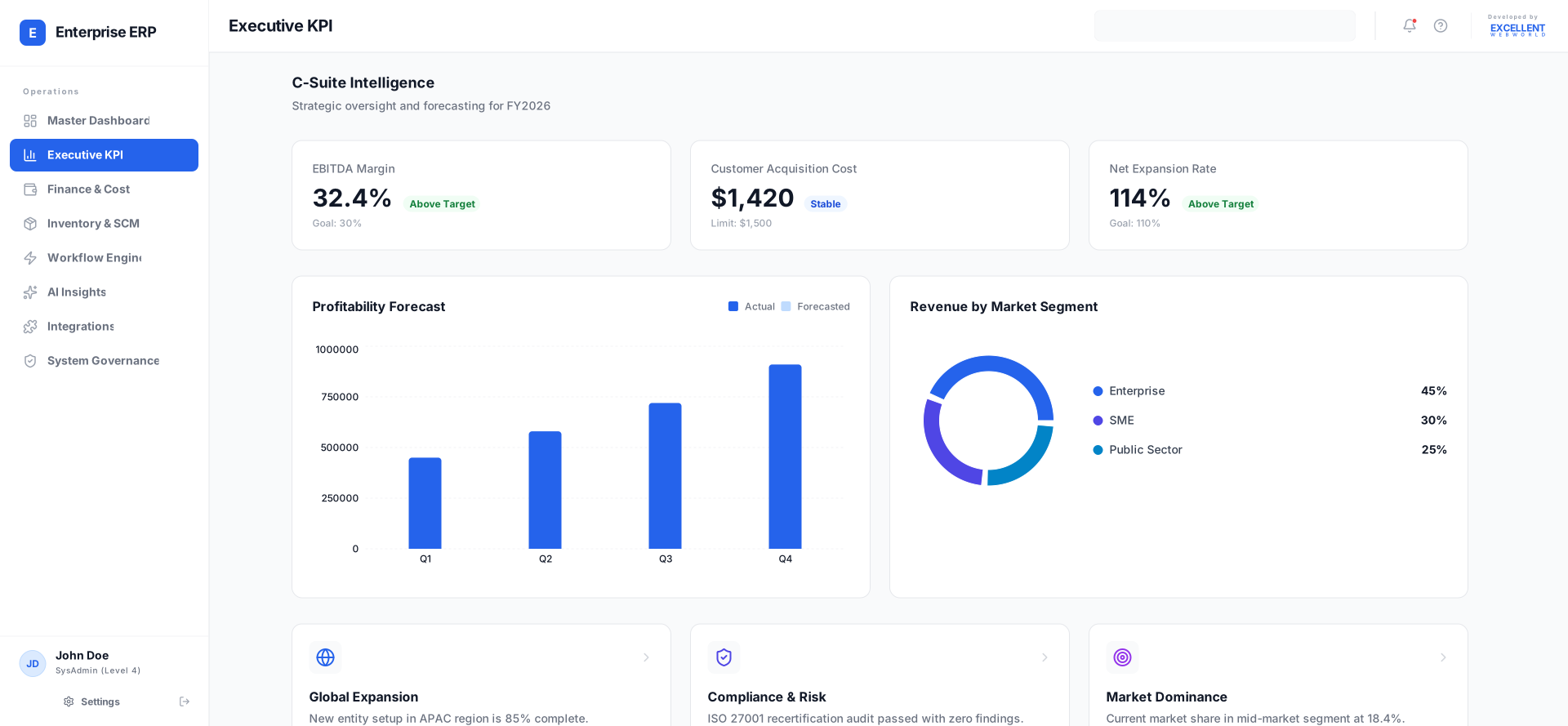
With the help of a custom ERP system your sales team can now communicate with inventory through integrated systems. Finance sees real-time cash flow while the marketing team knows which products actually sell. By eliminating data silos and giving every team real-time visibility, your business experiences one of the key benefits of ERP software: faster collaboration and smarter decisions.
3. Management Gets a Clear Vision
Because of fragmented data, executives and department heads often make slow, uninformed decisions. ERP helps them see everything in one dashboard – profits, prices, client satisfaction, and employee productivity. Unified dashboard helps enterprise leadership gain real-time visibility, clarity and confidence to act on accurate, up-to-date insights.
4. Automation Eliminates Manual Work
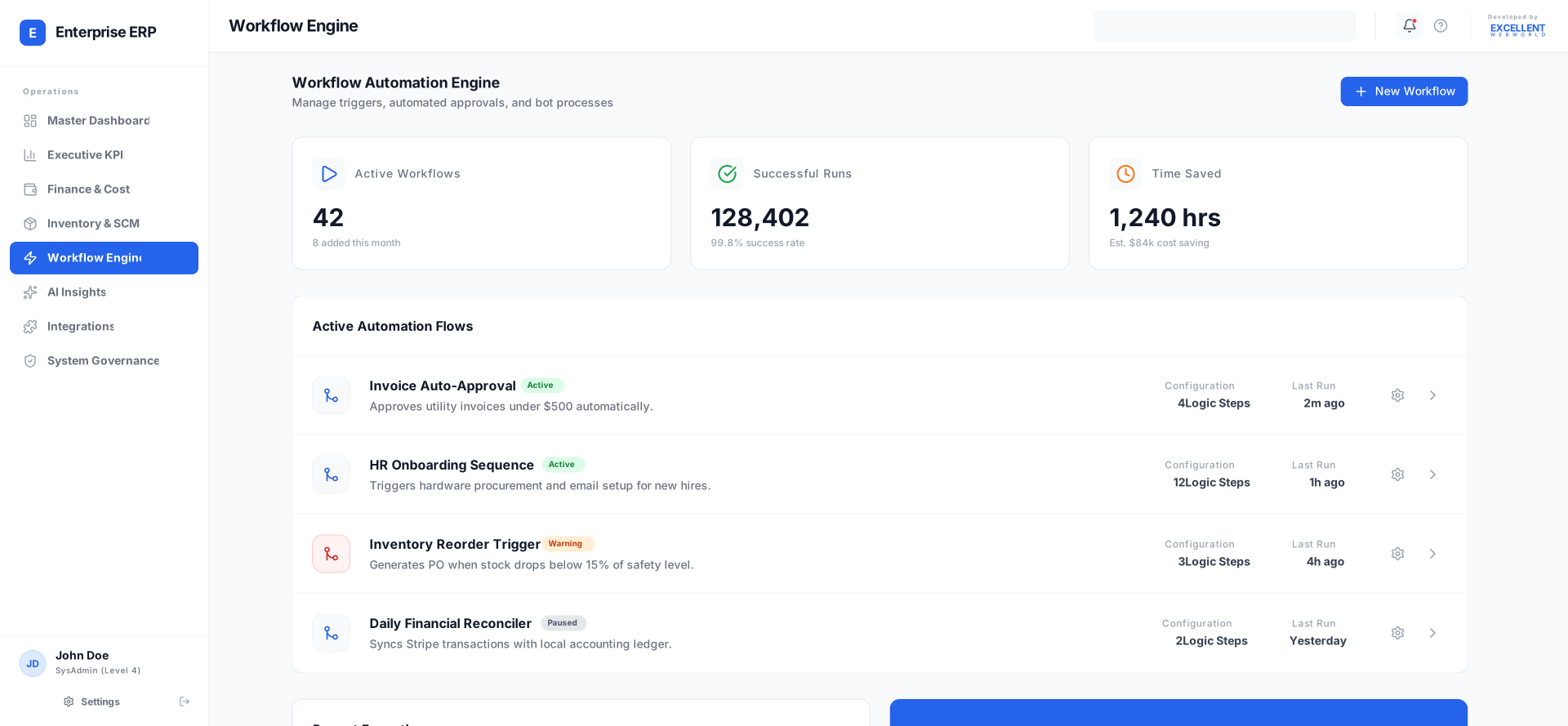
Repetitive tasks in enterprise environments, like invoice processing or report generation, consume valuable time. Federal reports show the U.S. government still spends billions of hours on paperwork — underscoring how automation reduces time wasted on manual processes. Implementing ERP Automation can easily save hours of work that otherwise go into repetitive data entry, manual approvals, and report generation.
5. Data-Driven Decisions
ERP Software enables executives to make decisions based on facts, not emotions. AI-based ERP software takes this to the next level by analyzing vast amounts of financial, operational, and customer data in real time. This single source of truth empowers teams to identify trends, forecast demand, and respond quickly to market changes.
A logistics client told us they used to adjust fleet routes manually, often guessing based on last month’s data. With ERP in place, they reduced fuel costs by 12% and improved on-time deliveries.
6. Regulatory Compliance Made Simple
For most enterprises, keeping up with ever-changing regulations is a full-time job in itself. ERP ensures every process aligns SOX, GDPR, and IFRS requirements automatically without extra paperwork. ERP development services ensure your system follows regulations while reducing compliance costs significantly. For CFOs and compliance officers, it delivers peace of mind, knowing that the enterprise is always audit-ready — not scrambling at the last minute.
7. Measurable ROI and Growth
Every technology investment must prove its worth. Investment in ERP Solution pays for itself through reduced operational overhead and improved productivity. Enterprise Resource Planning Software delivers measurable returns by eliminating inefficiencies that drain resources every month.
8. Future-Ready Scalability
Enterprise-Grade ERP Solution is built for scalability. It can seamlessly expand, without system chaos or data migration complications. Cloud infrastructure and Gen AI consulting ensure your ERP grows along with your enterprise growth seamlessly.
What are the Different Types of ERP Software?
There are different types of erp solutions based on where they run, the size of the company, and the industry’s needs. Each type offers particular advantages for your unique requirements.
1. Types of ERP Solutions Based on Deployment:
| Types | Examples | Best For |
|---|---|---|
| Cloud-Based | Salesforce, NetSuite | Quick setup, remote teams |
| On-Premise | SAP ECC, Dynamics GP | Data control, customization |
| Hybrid | Oracle Fusion, SAP SuccessFactors | Mixed requirements |
2. Types of ERP Software Based on Business Size:
| Types | Examples | Best For |
|---|---|---|
| Small-Business | QuickBooks, Zoho | Under 50 employees |
| Mid-Market | Dynamics 365, Sage | 50-500 employees |
| Enterprise | SAP S/4HANA, Oracle | 500+ employees |
3. Types of ERP System Based on Industry:
| Types | Examples | Best For |
|---|---|---|
| Generic | Odoo, Dynamics 365 | Any business type |
| Specific | Epic (Healthcare), IQMS (Manufacturing) | Targeted industries |
Choosing the right ERP system can be complex. A software development consultant can provide an unbiased assessment of your requirements and recommend the best implementation strategy.
Core Features of ERP Software for Developing Smarter Workflows
When building ERP software, you need specific capabilities that enable your business to operate smoothly. These features help you manage everything, from finances to personnel, in one location.
| Key Features | What It Does | Why You Need It |
|---|---|---|
| Customisation | Change the software to fit your business needs | Your business is unique, so your software should be too |
| Integration | Connects with other tools you already use | No need to switch between different apps all day |
| Scalability | Grows bigger as your business grows | You won’t outgrow your software when you get more customers |
| User-Friendly Interface | Makes software easy to use for everyone | Your team can learn it fast without getting confused |
| Data Management | Keeps all your business information organized | Find what you need quickly and keep everything safe |
| Automation | Do repetitive tasks for you automatically | Save time on tedious work and focus on important stuff |
| Reporting & Analytics | Shows you how your business is doing | Make smart decisions based on real numbers |
| Mobile Access | Works on phones and tablets too | Check your business from anywhere, anytime |
| Security | Keeps your business data safe from hackers | Sleep well knowing your information is protected |
| Support & Maintenance | Helps when things go wrong or need updates | Keep your software running smoothly with expert help |
Unsure about which features of ERP systems matter most for your business? A custom ERP development company like us can help you decide which modules and functionalities align with your specific goals. By staying up to date with software development trends, such companies ensure your solution is built for today and future.
What are the Different Types of ERP Modules and Their Functions?
When you start the development of an ERP system, you need to understand its core building blocks. ERP modules are specialized components within an integrated system. These modules work like puzzle pieces that connect to run your entire business.
| No. | Modules | What It Does |
|---|---|---|
| 1 | Customer Relationship Management | While an ERP’s CRM module manages basic customer interactions, businesses with unique needs may opt for custom CRM software development. To fully understand the distinctions between these systems, a comparison of ERP vs CRM is key. |
| 2 | Human Resource Management | The HR module in ERP handles employee records, payroll, attendance, and performance reviews. Makes HR tasks automated and straightforward. |
| 3 | Supply Chain Management | Tracks products from suppliers to customers. ERP in Supply Chain management helps manage vendor relationships and delivery schedules. |
| 4 | Order Processing | Processes customer orders from start to finish. Tracks order status and manages fulfillment automatically. |
| 5 | Financial Resource Planning | Manages budgets, expenses, invoices, and financial reports. Keep your money matters organized and compliant. |
| 6 | Business Intelligence | Turns your data into helpful charts and reports. Helps you make smart business decisions with AI-powered insights. |
| 7 | Production Management | Plans and tracks manufacturing processes. Schedules production and manages quality control efficiently. |
| 8 | Marketing & Sales | Manages campaigns, leads, and sales pipelines and tracks marketing performance and customer acquisition costs. |
| 9 | Inventory Management | Monitors stock levels, reorders products automatically, and prevents shortages or excess inventory. |
How Does the ERP Development Process Go from Idea to Implementation?
The ERP development process follows a phase-wise lifecycle with clear steps. You need systematic planning, iterative improvement, and careful testing. Each step builds on the preceding one to create a reliable business software.
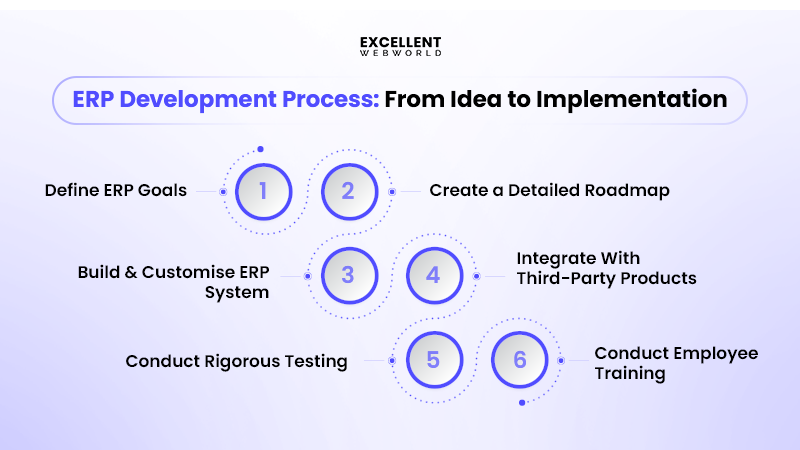
Step 1: Define ERP Goals and Expectations
ERP process starts by asking the right questions about your enterprise needs:
Step 2: Create a Detailed Roadmap for System Planning and Design
The ERP system development process requires an ERP roadmap before writing any code. You map out system architecture using microservices patterns for scalability.
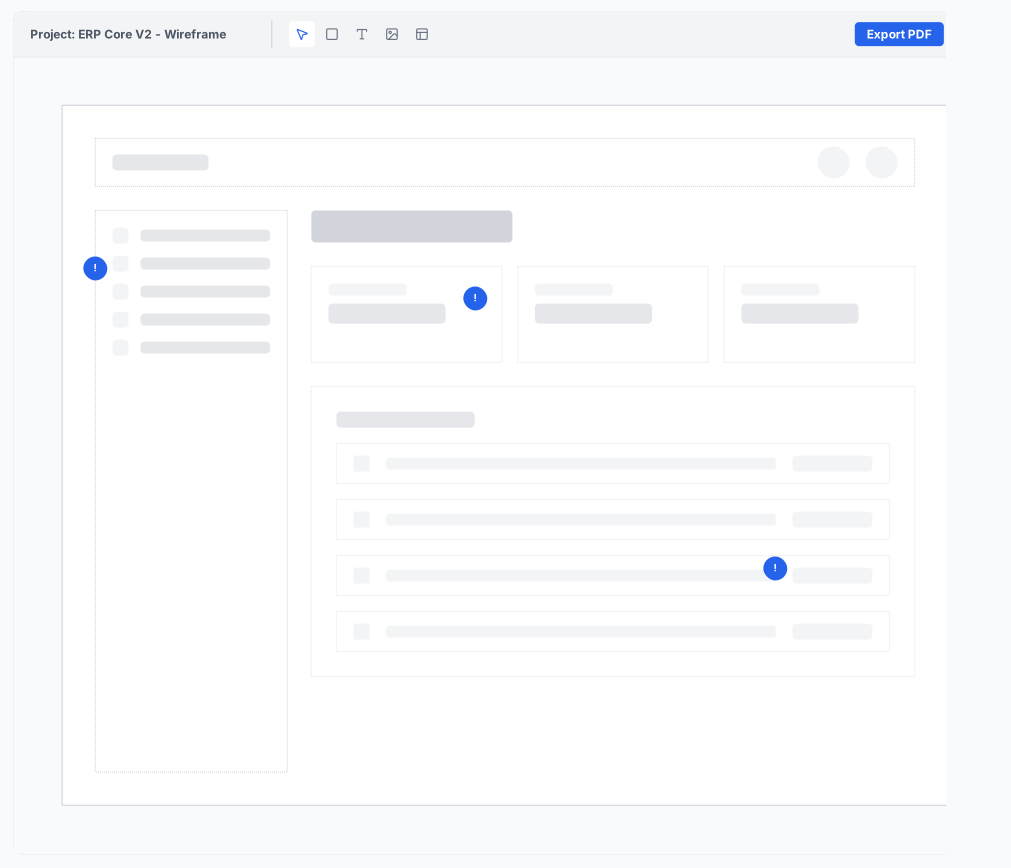
Presenting these stages in an erp roadmap ppt can help communicate progress clearly to executives and project sponsors.
Step 3: Build and Customize the ERP System
Begin building and customizing the ERP system by developing core modules, ensuring scalability, security, mobile access, and continuous user feedback.
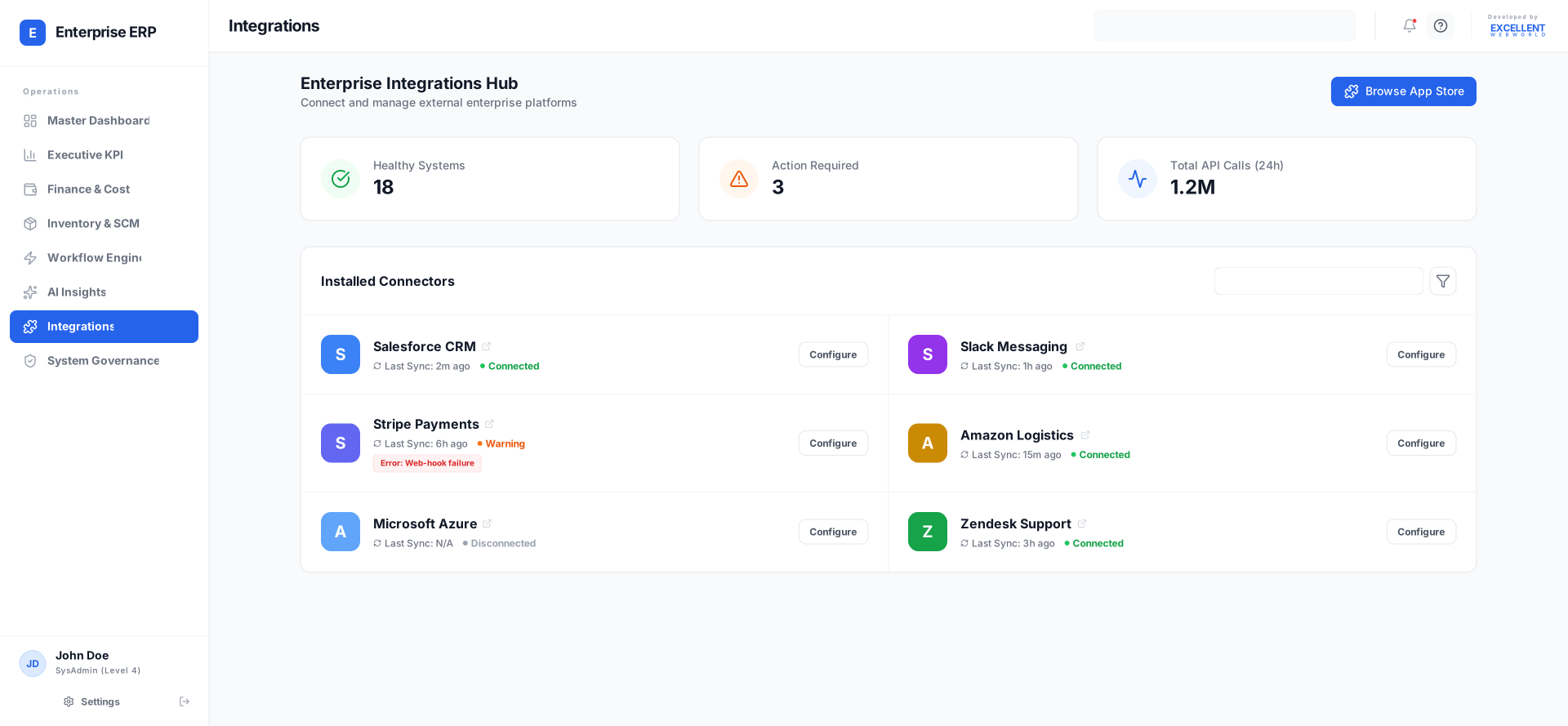
Step 4: Integrate With Third-Party Products
When considering how to integrate ERP systems, connect them with existing business systems through secure APIs and standardized protocols to ensure smooth data flow, reliable connectivity, and seamless interoperability.
Step 5: Conduct Rigorous Testing and Quality Assurance
You systematically examine the whole lot, using both automatic and manual strategies.
Step 6: Carry Out Deployment and Employee Training Program
Deploy your ERP system in controlled phases to minimize risk and ensure stability. Combine rollout with structured employee training to boost adoption.
Custom ERP Software Development: When Off-the-Shelf Isn’t Enough
Sometimes your enterprise needs something unique that regular ERP systems can not offer. Custom ERP development gives you precisely what your company needs.
Most businesses start looking into custom ERP development when their current system can’t handle their growth. Custom ERP system development will also become necessary when you want particular capabilities that do not exist in regular software.
Custom ERP development for mid-sized companies offers the right balance between fee and features. You get enterprise functions without paying enterprise fees.
Here are the key differences between custom ERP software and off-the-shelf ERP software:
| Feature | Custom ERP | Off-the-Shelf ERP |
|---|---|---|
| Business Process Alignment | Built around your exact workflows | Forces you to change processes |
| Unique Features | Any feature you can imagine | Only what the vendor provides |
| Integration Capabilities | Connects to any system via APIs | Limited to supported integrations |
| Scalability Options | Grows exactly as you need | Fixed upgrade paths |
| User Interface | Designed for your team’s habits | Generic interface for everyone |
| Industry Compliance | Built-in compliance for your sector | Generic compliance features |
| Data Structure | Matches your data perfectly | Force data into preset fields |
| Reporting & Analytics | Exact reports you need with AI insights | Standard reports only |
| Cloud Architecture | Optimized for your usage patterns | Shared cloud resources |
| Development Timeline | 4-8 months | 2-4 months |
| Initial Investment | $50k-$500k+ | $10k-$100k |
| Ongoing Maintenance | Your development team controls | Vendor controls updates |
| Customization Limits | Unlimited with proper architecture | Vendor-defined limits |
| Support & Training | Dedicated support team | Shared support queue |
Note: When choosing an ERP development provider, look for teams with industry experience and knowledge of local compliance.
For example, if your business is operating in the USA, search for custom ERP software development services in the USA. It offers local support and a deeper understanding of American business regulations compared to offshore software development.
What Should You Consider When Estimating ERP Development Cost?
Understanding the ERP software development cost allows you to plan your budget more effectively. Thoughtfully planned execution prevents price overruns and guarantees your projects stay profitable. Total Cost of Ownership (TCO) matters more than upfront prices when making funding decisions.
1. Cost According to the Development Complexity
Different complexity levels need different investments. More features mean higher price of ERP solution but better business value.
| Software Type | Estimated Cost | Timeline |
|---|---|---|
| MVP (Prototype) | $16,000 – $26,000 | 12-14 weeks |
| Basic Software | $20,000 – $32,000 | 14-20 weeks |
| Medium Complexity | $28,000 – $40,000 | 20-24 weeks |
| High Complexity | $40,000 – $60,000+ | 24-28 weeks |
| AI-Powered Software | $50,000 – $80,000+ | 28-32 weeks |
2. Cost According to the Development Phases
Each development phase has specific costs. Breaking down phases helps you manage cash flow better.
| Development Phase | Cost Percentage | Typical Cost Range |
|---|---|---|
| Planning & Analysis | 15-20% | $3,000 – $12,000 |
| UI/UX Design | 10-15% | $2,500 – $9,000 |
| Backend Development | 40-50% | $8,000 – $30,000 |
| Frontend Development | 25-30% | $5,000 – $18,000 |
| Testing & Deployment | 10-15% | $2,000 – $9,000 |
3. Cost According to the Development Team Structure
Software project estimation depends heavily on team composition. Your team choice affects both quality and timeline significantly.
| Team Type | Hourly Rate | Project Cost Range |
|---|---|---|
| In-House Team | $60–$120/hour | $45,000 – $95,000 |
| Outsourced Team | $25-$60/hour | $20,000 – $50,000 |
| Hybrid Approach | $40-$85/hour | $32,000 – $68,000 |
| Freelance Developers | $30-$80/hour | $18,000 – $45,000 |
Note: When deciding between in-house vs outsourcing software development, businesses must weigh various factors beyond just the budget. Both models have distinct advantages, with in-house teams offering more direct oversight and cultural integration, while outsourcing provides access to a wider talent pool and greater flexibility.
4. Cost According to the Geographical Region
Location plays a massive role in your final software development cost. Different regions offer varying expertise levels and cost structures.
| Region | Hourly Rate (USD) | Hourly Rate (Local Currency) |
|---|---|---|
| USA | $80 – $160 | $80 – $160 |
| Canada | $70 – $140 | CAD $95 – $190 |
| Germany | $60 – $120 | €54 – €108 |
| Spain | $30 – $65 | €27 – €58 |
| Netherlands | $65 – $125 | €58 – €112 |
| UK | $75 – $150 | £60 – £120 |
| France | $55 – $110 | €50 – €99 |
| Italy | $30 – $70 | €27 – €63 |
| Monaco | $75 – $140 | €68 – €126 |
| Denmark | $55 – $105 | DKK 380 – 720 |
| Sweden | $55 – $105 | SEK 570 – 1,090 |
| Saudi Arabia (KSA) | $35 – $70 | SAR 131 – 262 |
| UAE | $40 – $80 | AED 147 – 294 |
| Bahrain | $40 – $75 | BHD 15 – 28 |
| Brazil | $35 – $65 | BRL 175 – 325 |
| Qatar | $45 – $85 | QAR 164 – 309 |
Note: When evaluating the best countries to outsource software development, it’s important to consider more than just hourly rates. Factors such as a large talent pool, specialized expertise, and a favorable business environment also contribute to a successful partnership.
5. Hidden Costs You Should Consider
Custom ERP costs include fees beyond coding. These hidden charges frequently catch enterprises off guard.
Industry-Specific ERP Development Use Cases
Every industry needs different ERP features. Generic systems waste money and create operational headaches. Innovative software development for ERP systems focuses on industry-specific needs for better results.
1. Manufacturing ERP Solutions
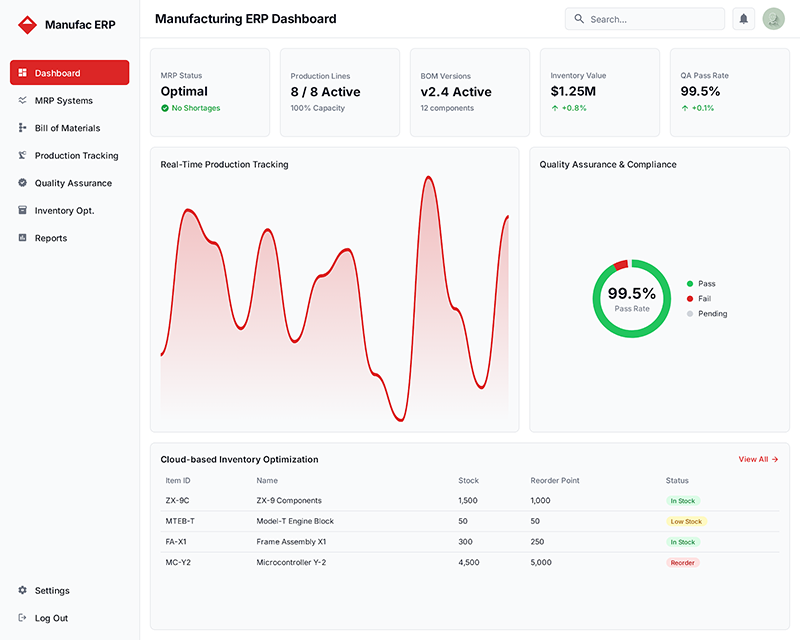
Manufacturing companies need specialized tools for production management. Your ERP should handle complex supply chains with AI-powered efficiency.
2. Retail and eCommerce ERP Systems
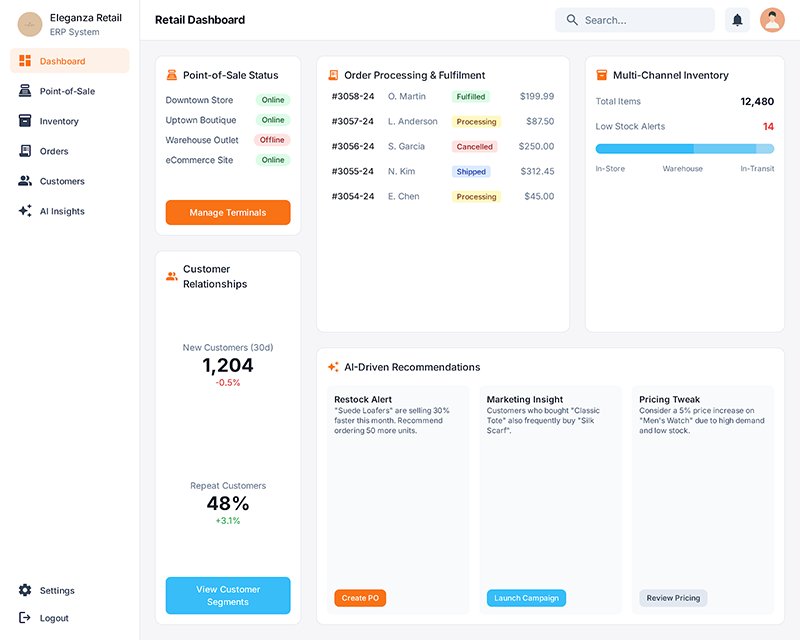
Retail businesses require omnichannel support and customer management. Cloud consulting helps integrate online and offline sales seamlessly.
3. Educational Institution ERPs
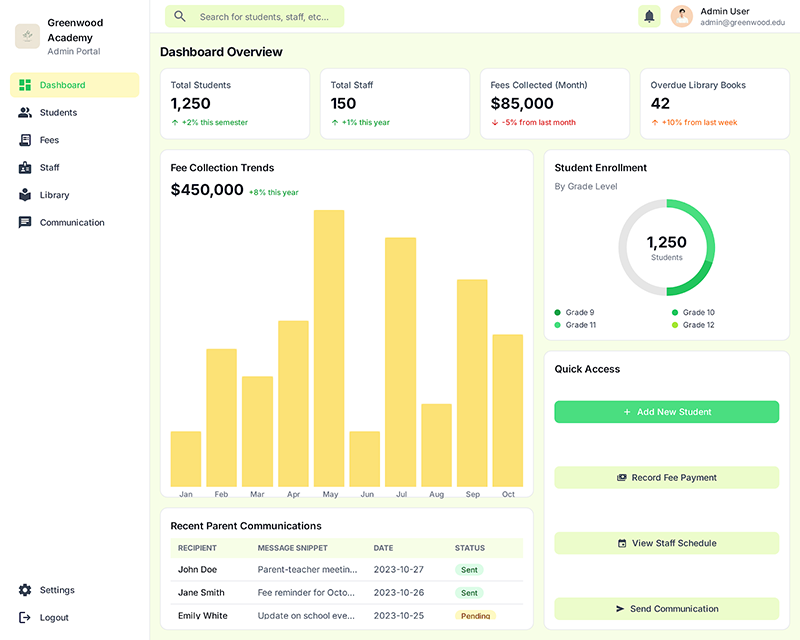
School ERP addresses unique academic needs. Educational institutions manage students, staff, and resources differently from traditional businesses.
4. Healthcare ERP Solutions
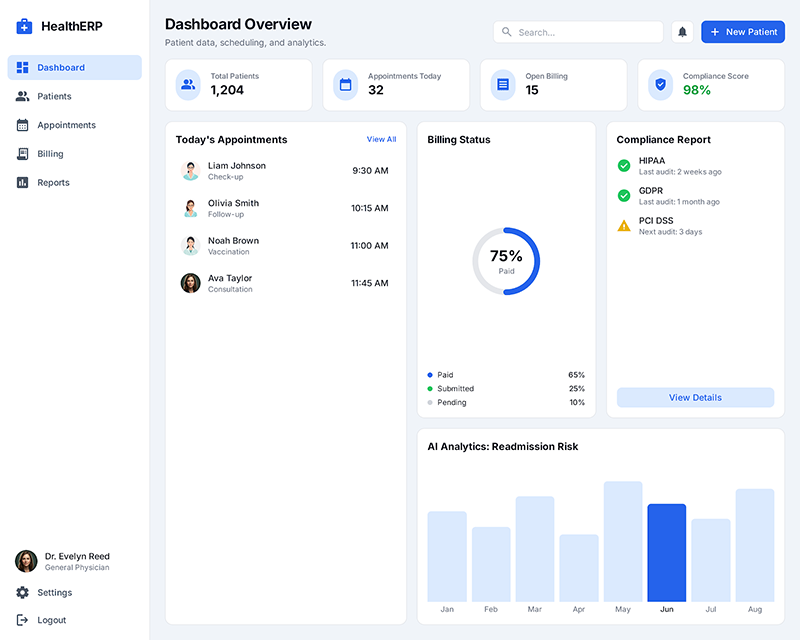
Healthcare ERPs prioritize patient data security and regulatory compliance. Development of ERP systems requires strict medical standards and privacy protection.
5. Fintech and Banking ERPs
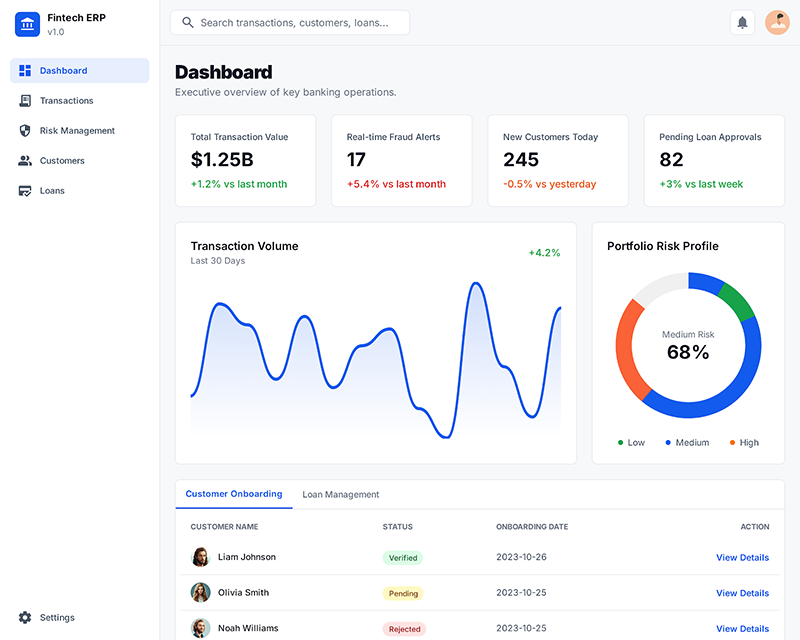
Financial establishments need robust protection and real-time processing. Generative AI enables the detection of fraud and the optimization of banking operations successfully.
6. Automotive Industry ERPs
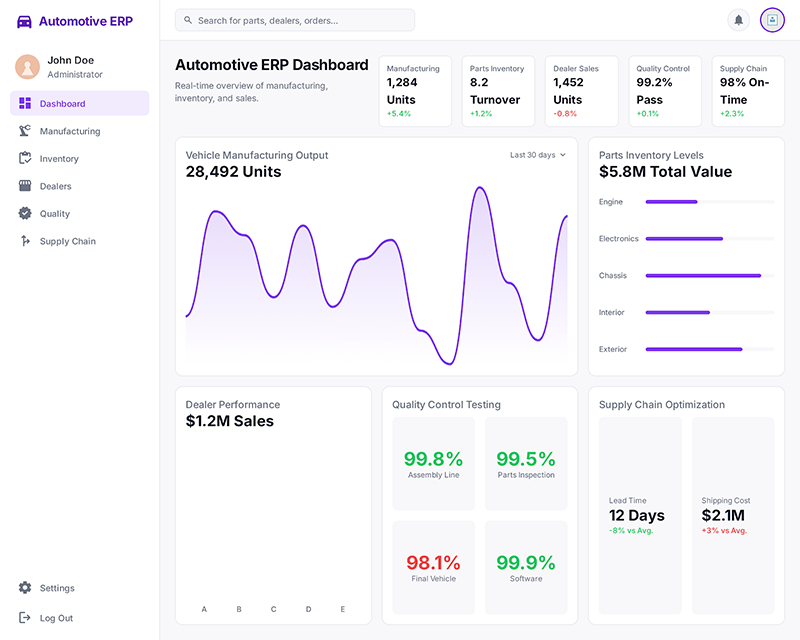
Automotive companies handle complex supply chains and quality standards. Cloud-based systems improve manufacturing efficiency and dealer management.
7. Hospitality and Tourism ERPs
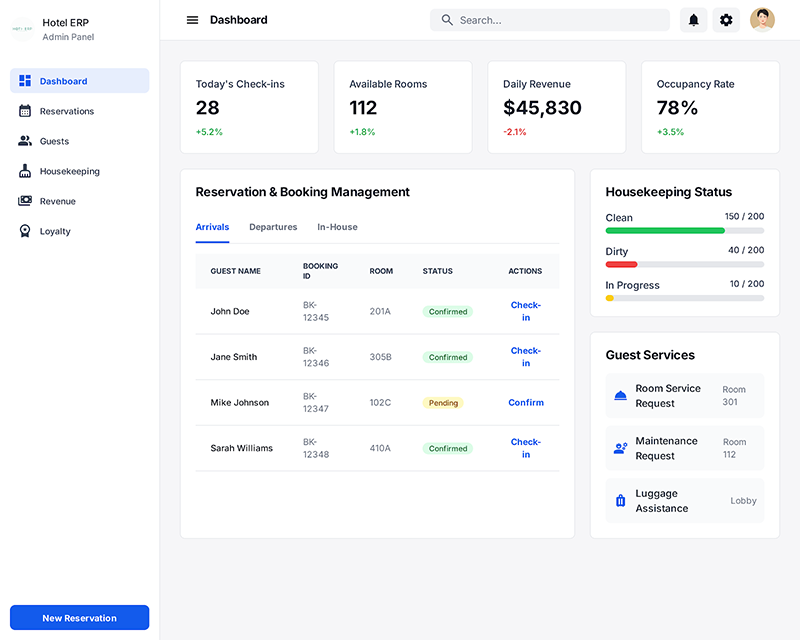
Hotels and travel companies need guest management and booking systems. AI consulting helps personalize customer experiences and optimize pricing.
8. Transportation and Logistics ERPs
Logistics companies require route optimization and fleet management. Cloud infrastructure supports real-time tracking and delivery coordination.
Major Challenges in ERP Software Development
Building ERP software is like fixing a large puzzle wherein pieces keep changing form. You’ll face roadblocks that could derail your venture if you don’t plan for them properly.
Here are the challenges that you face during ERP development:
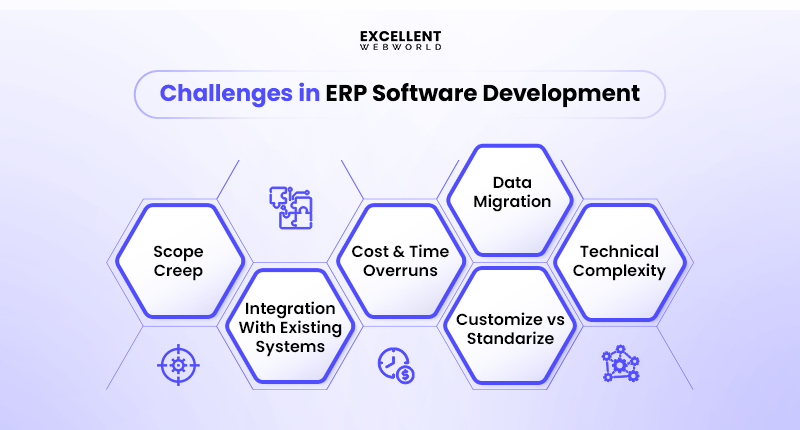
1. Scope Creep
Your project starts with simplicity; however, it grows like a snowball rolling downhill. Users are inquiring about “simply one extra feature” after development starts.
Without making the right plans, your ERP system becomes bloated and expensive. Lock down your requirements early and create an in-depth document that everyone agrees on, before coding begins.
2. Integration With Existing Systems
Your new ERP must integrate with the existing systems, which weren’t designed to work together. Legacy systems often rely on outdated tech that lacks modern connection methods.
Modern tools help bridge these gaps. Select software development frameworks that support multiple integration methods and data formats for seamless connectivity.
3. Customization vs Standardization
You need your ERP to suit your enterprise flawlessly. However, excessive customization can lead to maintenance nightmares that become a costly affair later on.
Standard functions are simpler to maintain and improve over time. Find the sweet spot among trendy functionality and your precise enterprise requirements.
4. Data Migration
Moving data from old systems to your new ERP is risky business. Old data formats often fail to meet new system requirements.
Test your migration process multiple times with sample data. Always hold entire backups of your original information before starting any transfers.
5. Technical Complexity
ERP systems handle many business processes simultaneously. Nearshore software development offers professionally skilled groups at lower fees than local hiring alternatives.
Break complex issues into smaller, achievable portions that are simpler to cope with. Use experienced developers who recognize enterprise software architecture and modern development practices.
6. Cost and Time Overruns
ERP projects frequently exceed their expected budgets, a trend underscored by Statista, which states that around 33% of implementations worldwide will go over budget in 2024. A major contributing factor to these overruns is that changes made throughout the development process are costly and require considerable retesting of all components.
Set realistic budgets with a 20-30% buffer for sudden charges and delays. Use agile development methodology to identify and address issues early in the process.
Best Practices in ERP Software Development
Success in ERP projects comes from combining the right tech choices with strong business planning. Following validated best practices helps you avoid costly errors and ensures your system works for your team.
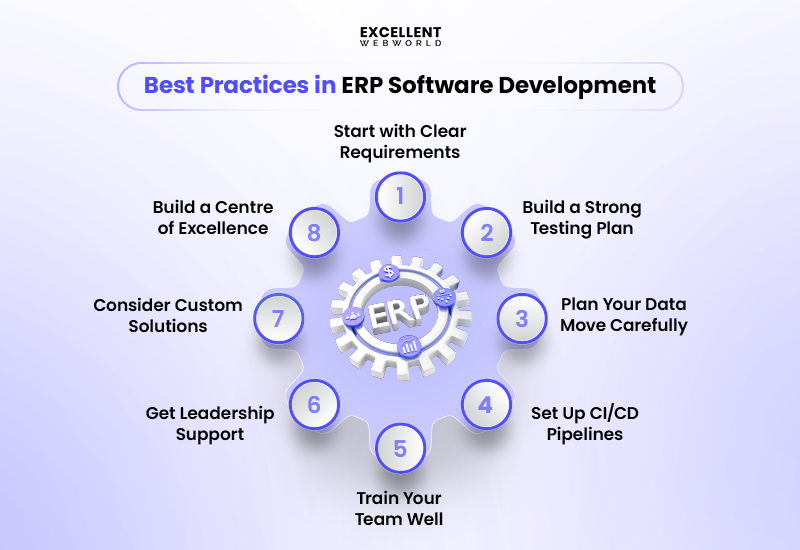
1. Start with Clear Requirements
Write down precisely what you want your ERP to do. Talk to every department that will use it. Ask users about the problems they encounter daily. It helps you build the right features from day one.
2. Build a Strong Testing Plan
Test your ERP at every step. Don’t wait until the end to find problems. Use automated testing tools to check code quality. Test with real data to catch issues early.
3. Plan Your Data Move Carefully
Moving old data to new systems is tricky. Clean your data first before the move. Back up everything. Test the move process multiple times before going live.
4. Set Up CI/CD Pipelines
Use continuous integration to catch bugs fast. Deploy code changes safely with automated tools.
Cloud platforms make this easier. They handle most of the technical setup for you.
5. Train Your Team Well
Good training makes or breaks ERP success. Start training before the system goes live. Create simple guides and video tutorials. Make sure everyone knows their new daily tasks.
6. Get Leadership Support
You need executives to champion the change. Without top-level support, teams resist new systems. Show leaders how the ERP will save money and time. Keep them updated on progress.
7. Consider Custom Solutions
Off-the-shelf solutions don’t always fit. Sometimes you need customized ERP development for your specific business needs. Utilize AI-powered development tools to accelerate custom coding. They help write better code faster.
8. Build a Centre of Excellence
Create a team that owns ERP knowledge. They become your go-to experts for questions and updates. This team should include both technical and business people. They guide future changes and improvements.
How to Choose the Right ERP Software Development Company?
Selecting the wrong company can result in millions of dollars wasted and delay your business goals. You need a partner who understands both your technical needs and business requirements perfectly. Here’s how to choose the right one:
1. Check Their Experience and Track Record
Look for companies with at least 5 years of experience in ERP development. Ask for case studies from businesses similar to yours.
Review their client testimonials and success stories. The best ERP company will gladly share detailed project examples and measurable results.
Check how many ERP projects they’ve completed successfully. Experience with failed projects teaches them what to avoid.
2. Evaluate Their Technical Skills
Check if they are familiar with modern and top developer technologies such as cloud platforms, AI integration, and mobile development. Your ERP should work with current and future tech.
Ask about their experience with Gen AI tools for automation. These technologies make ERPs smarter and reduce manual work.
Test their knowledge of different databases and programming languages. Strong technical skills prevent costly rebuilds later.
3. Consider Location and Time Zones
Location matters for communication and support. An ERP software development company in the USA offers easier meetings and cultural understanding for American businesses.
Similarly, a company in the UAE understands Middle Eastern business laws, local regulations, and cultural needs better.
Consider time zone differences for ongoing support. Real-time communication speeds up problem-solving.
4. Review Their Support and Maintenance
Your ERP needs ongoing updates and fixes. Ask how quickly they respond to critical problems.
Check if they offer 24/7 support or comprehensive training for your team. Good support prevents costly system downtime.
Ask about their bug-fixing process and update schedules. Regular maintenance keeps your ERP running smoothly.
5. Assess Domain Expertise
Choose companies that know your industry well. A healthcare ERP needs different compliance features than a manufacturing system.
Ask about specific regulations that affect your business. They should understand the legal requirements in your field.
Industry expertise helps them suggest better features and avoid common pitfalls.
6. Compare Pricing Models and Contracts
Some companies charge fixed prices, others bill by the hour. Understand what’s included in their quotes.
Ask about hidden costs for customization, training, or future updates. Transparent pricing prevents budget surprises during development.
Review contract terms for intellectual property rights and project ownership. Protect your business interests from day one.
Future of ERP Software Development: Cloud, AI, and Composability
The future of business software is here, and it’s brighter than ever. ERP app development is moving toward AI-powered systems that think, learn, and adapt to your business needs automatically.
Smart ERPs That Think for You
AI-driven ERPs will predict problems before they happen. Your system will suggest better ways to manage inventory and reduce costs.
Gen AI will automate tedious tasks like data entry and report creation. It frees your team to focus on growing your business.
Build ERPs Like Lego Blocks
Composable ERPs let you pick and choose features you need. Add new functions without rebuilding everything from scratch.
API-first design means your ERP connects easily with other software. Everything works together seamlessly in the cloud.
Low-Code Makes Development Faster
You won’t need armies of programmers anymore. Low-code platforms enable business professionals to build their own solutions quickly.
It makes ERP development cheaper and faster than traditional methods. Your ERP will become your most competent business partner.
Why Choose Excellent Webworld for ERP Software Development?
Your business deserves an ERP partner who delivers real results, not empty promises. Excellent Webworld has helped 200+ companies transform their operations through innovative ERP system development solutions.
We bring deep industry knowledge from the manufacturing, healthcare, and retail sectors. This experience helps us avoid common pitfalls that cost other companies time and money.
Our custom ERP development process starts with understanding your unique challenges. We don’t force you into generic solutions that don’t fit your business model.
We leverage AI and cloud technologies to build faster, more intelligent systems. Our development team uses Gen AI tools to write cleaner code and reduce project timelines.
You get dedicated support throughout the entire journey. From planning to launch to ongoing maintenance, we stay with you every step of the way.
Start your ERP transformation today. Schedule a free strategy session with our experts.

Article By


Mayur Panchal is the CTO of Excellent Webworld. With his skills and expertise, He stays updated with industry trends and utilizes his technical expertise to address problems faced by entrepreneurs and startup owners.